Web to Workstation - Conditional Enrollment
Facts
Control which users complete workstation registration within a single tenant. Support different user groups with the same web Relying Party.
Use Case: Organizations with employees requiring full workstation access and agents/contractors needing web-only access.
Key Features:
- Selective workstation registration via feature flag
- Single tenant, multiple access patterns
- Shared web Relying Party
Prerequisites
- Web RP application configured for all users
- Workstation RP application configured for full access users
- Magic link generation configured
- Full Access Users: Employees with workstation access
- Web-Only Users: Agents or contractors with web access only
Both groups use the same web Relying Party.
Configuration
Feature Flags
Enable the SKIP_WS_REGISTRATION feature flag to access conditional enrollment options.
Magic Link Configuration
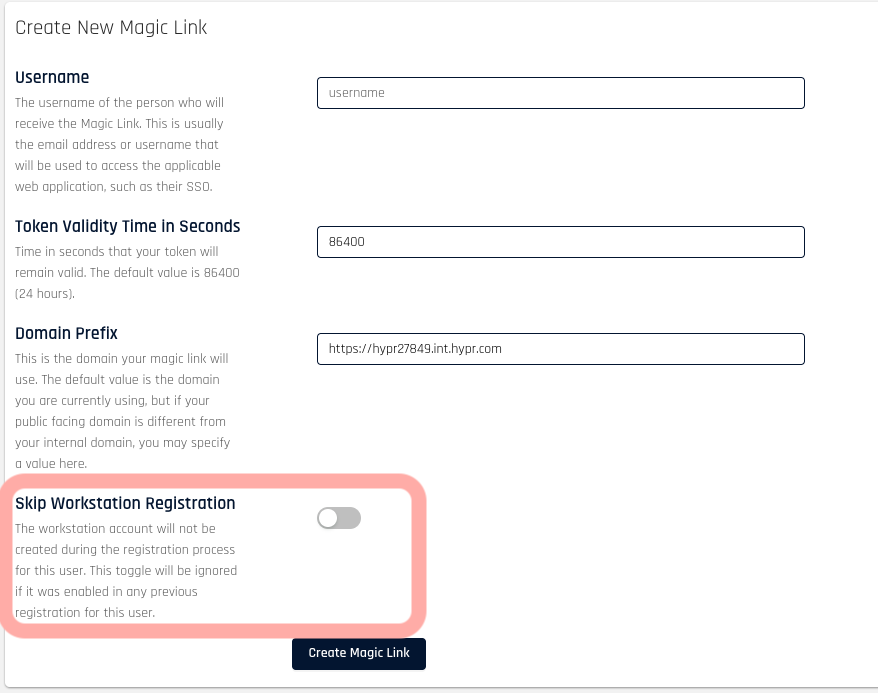
The skipWsRegistration toggle controls workstation registration per magic link.
Default: Disabled (performs full Single Registration)
To Skip Workstation Registration:
- Access magic link creation screen
- Enable Skip Workstation Registration toggle
- Generate magic link
User Journey:
- User receives magic link
- User completes web registration
- If
skipWsRegistrationdisabled: Proceeds to workstation registration - If
skipWsRegistrationenabled: Enrollment complete
Mobile Behavior
When skipWsRegistration is true, the mobile app skips workstation operations:
- No manual certificate request option
- No status endpoint calls
- No certificate generation
- No workstation data in Enrollment Service
Mobile app does not generate workstation certificates, preventing access to workstation resources.