Configuring Active Directory Users
Before users can complete the web registration flow, their Active Directory accounts must be configured with email information. This allows HYPR to properly map user identities during the registration process.
Configuration Steps
-
In Active Directory, click on the Start button
-
Navigate to Active Directory Users and Computers
-
In the menu bar, click View and enable Advanced Features
-
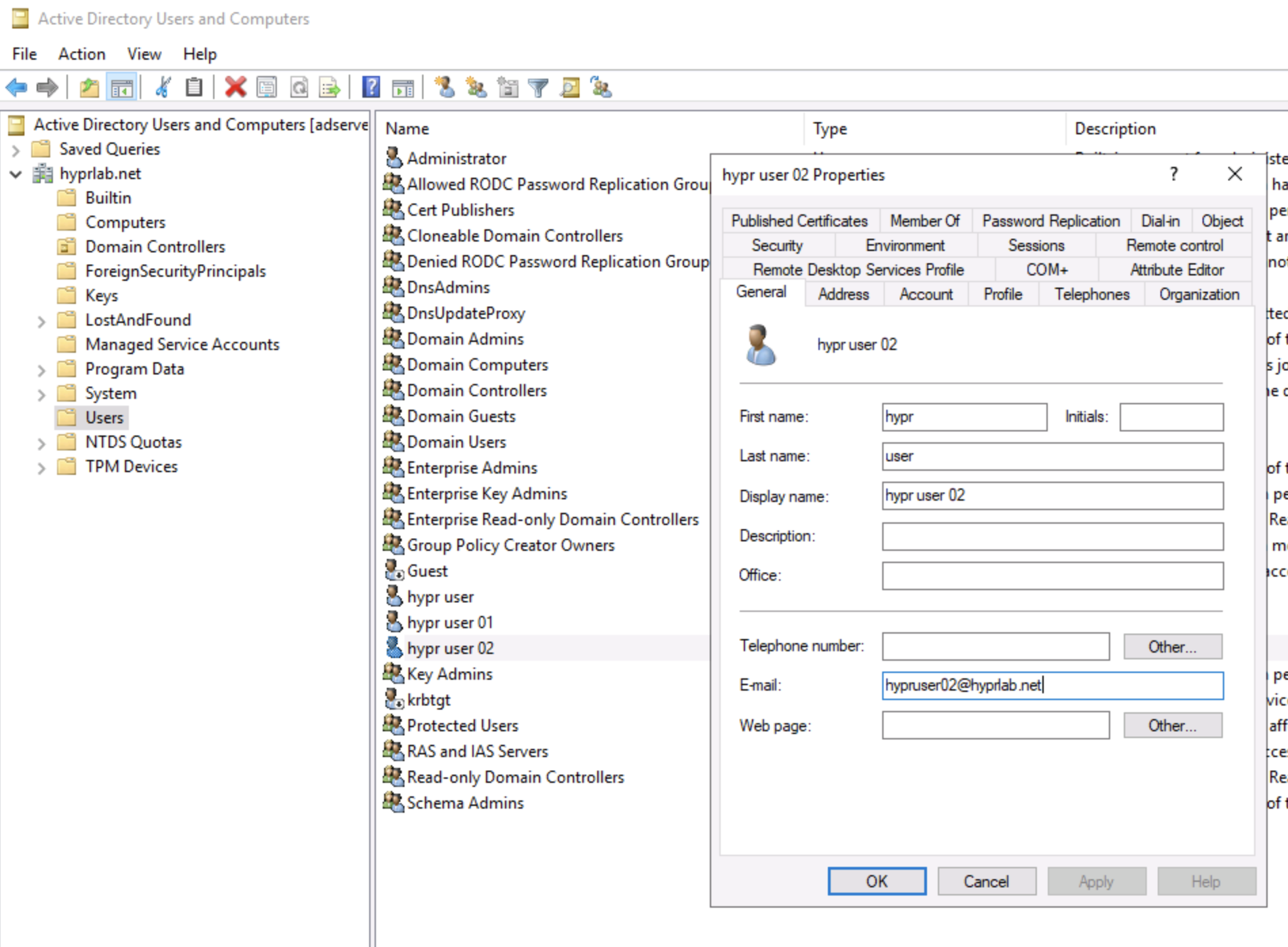
Select the user account that you plan on inviting to register
-
Under the General tab, update the E-mail field with the user's email address
-
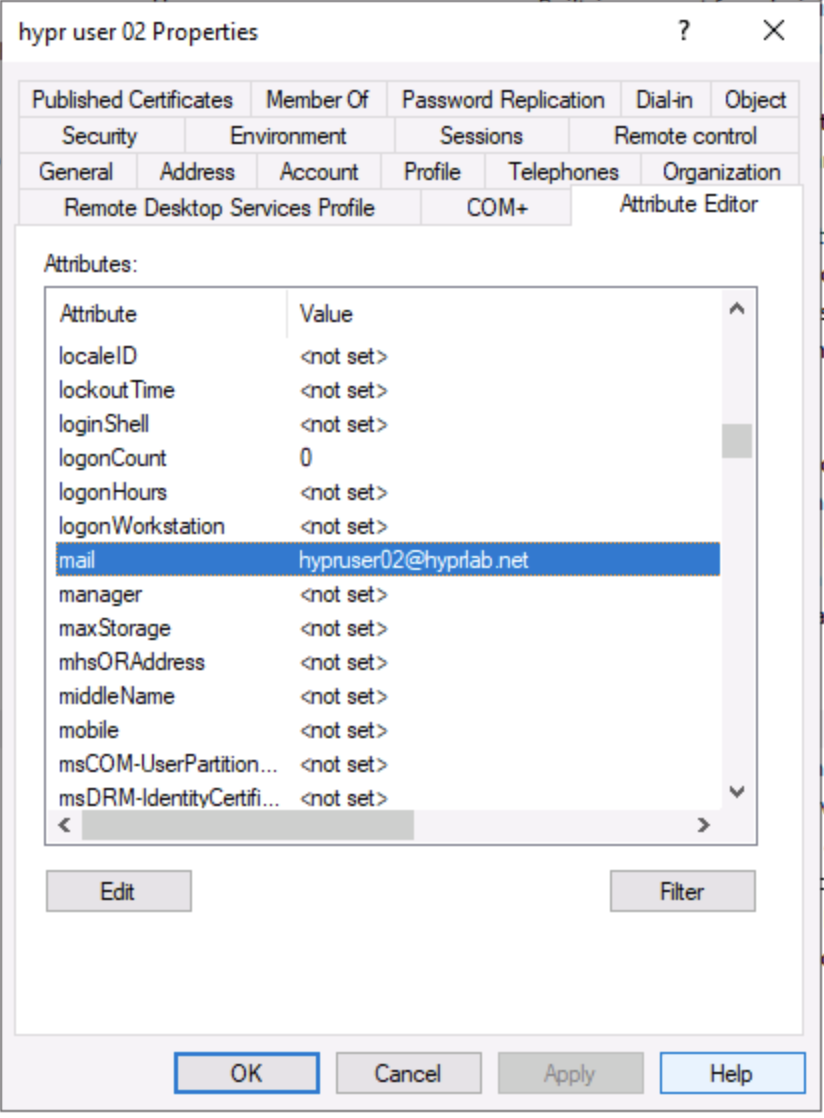
Click the Attribute Editor tab
-
Scroll down, select the mail attribute, and enter the user's email address
Visual Reference