SMS Notification Branding
The SMS Notification Branding feature allows Control Center administrators to customize the content and branding of SMS notifications sent for OTP verification, approver messages, and Help Desk operations within HYPR Affirm workflows.
In HYPR 10.7.0 and later, administrators can manage SMS notification branding through the Control Center user interface in the Custom Branding settings.
Overview
SMS Notification Branding enables organizations to:
- Customize SMS message content for OTP verification and approver notifications
- Apply consistent corporate messaging across all SMS communications
- Use dynamic placeholders for company name and support email from the Company Identity settings in Custom Branding
- Enable or disable specific SMS notification types while keeping branding consistent
Customizable Notification Types
The system supports customization for the following SMS notification types:
Affirm Notifications
-
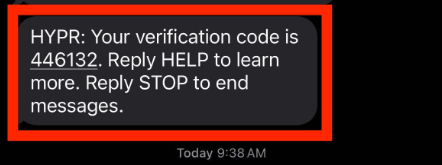
OTP Text Message: SMS messages sent to users for one-time password verification during Affirm workflows
-
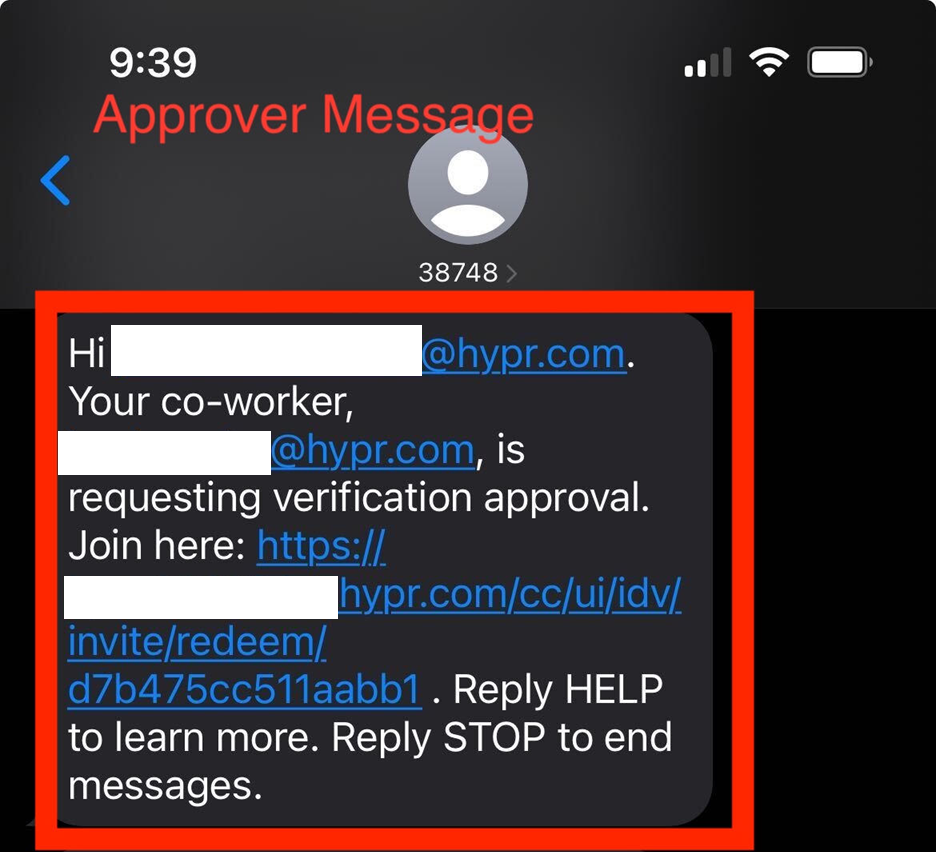
Manager (Approver) Text Message: SMS notifications sent to managers or approvers to invite them to participate in verification workflows
Help Desk Notifications
-
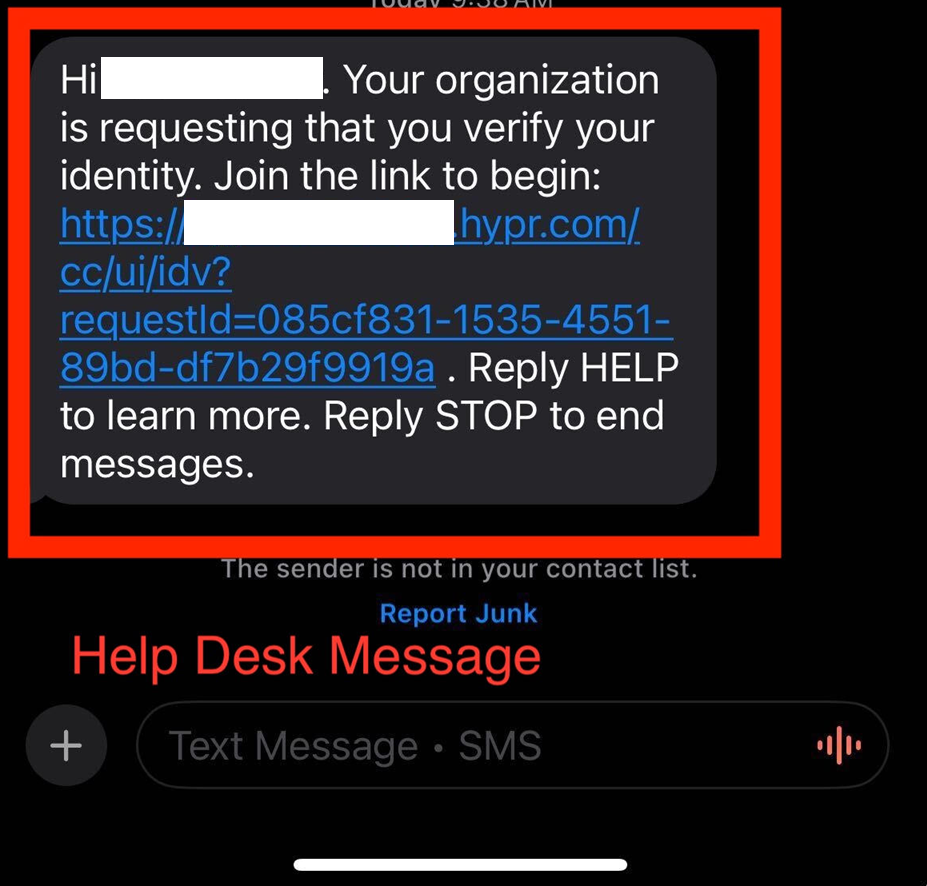
Help Desk Text Message: SMS messages sent for Help Desk operations and support workflows
Configuration
Accessing SMS Notification Branding
- Log into HYPR Control Center
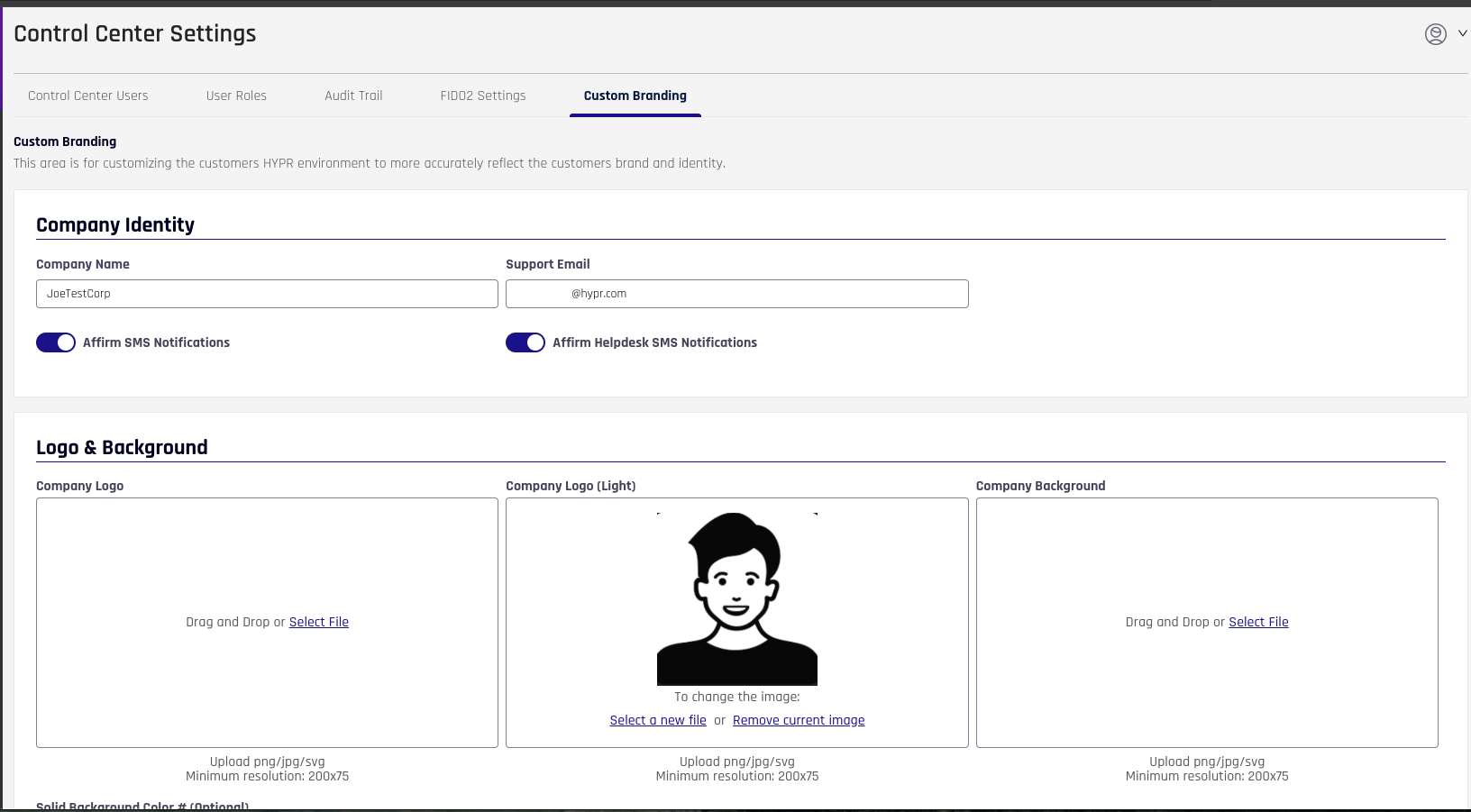
- Navigate to Control Center Settings > Custom Branding
- Scroll to the Company Identity section
Enabling SMS Notifications
- In the Company Identity section, locate the toggle switches below the Company Name and Support Email fields
- Enable SMS delivery for the desired notification types:
- Affirm SMS Notifications: Toggle to enable or disable OTP and Manager/Approver messages
- Affirm Helpdesk SMS Notifications: Toggle to enable or disable Help Desk messages
- Configure the message content for each enabled notification type
- Click Save to apply changes. When enabled, messages use the Company Name and Support Email values from Custom Branding as part of their branding.
Dynamic Placeholders
The dynamic placeholders are automatically replaced with values from your global branding configuration:
- Company Name: Use the
{CompanyName}placeholder to insert the company name configured in the Company Identity section of Custom Branding
Example: Your verification code from {CompanyName} is: {code}
Message Customization
Each notification type can be customized with:
- Message Content: The text content of the SMS message
- Dynamic Variables: Support for placeholders such as company name, verification codes, and workflow-specific information
SMS messages have character limits. Ensure your customized messages comply with SMS length restrictions to prevent message truncation.