Event Hook: Custom
Custom Event Hooks allow HYPR-enabled sites to forward HYPR events to an external HTTP endpoint. Each hook targets a specific event type and delivers events to the configured endpoint using the HTTP method and authentication credentials you specify.
HYPR events are grouped by type (Authentication, Registration, Admin, and so on) and delivered as JSON payloads. See Sample Event Hook JSON below for an example of the payload structure.
Custom Event Hooks must be enabled for your tenant before use. Contact your HYPR representative or HYPR Support to enable this functionality.
What You'll Need
- An administrator account for HYPR Control Center
- The HTTP endpoint URL and authentication credentials for your target system
Adding a Custom Event Hook
-
Log in to HYPR Control Center as an administrator.
-
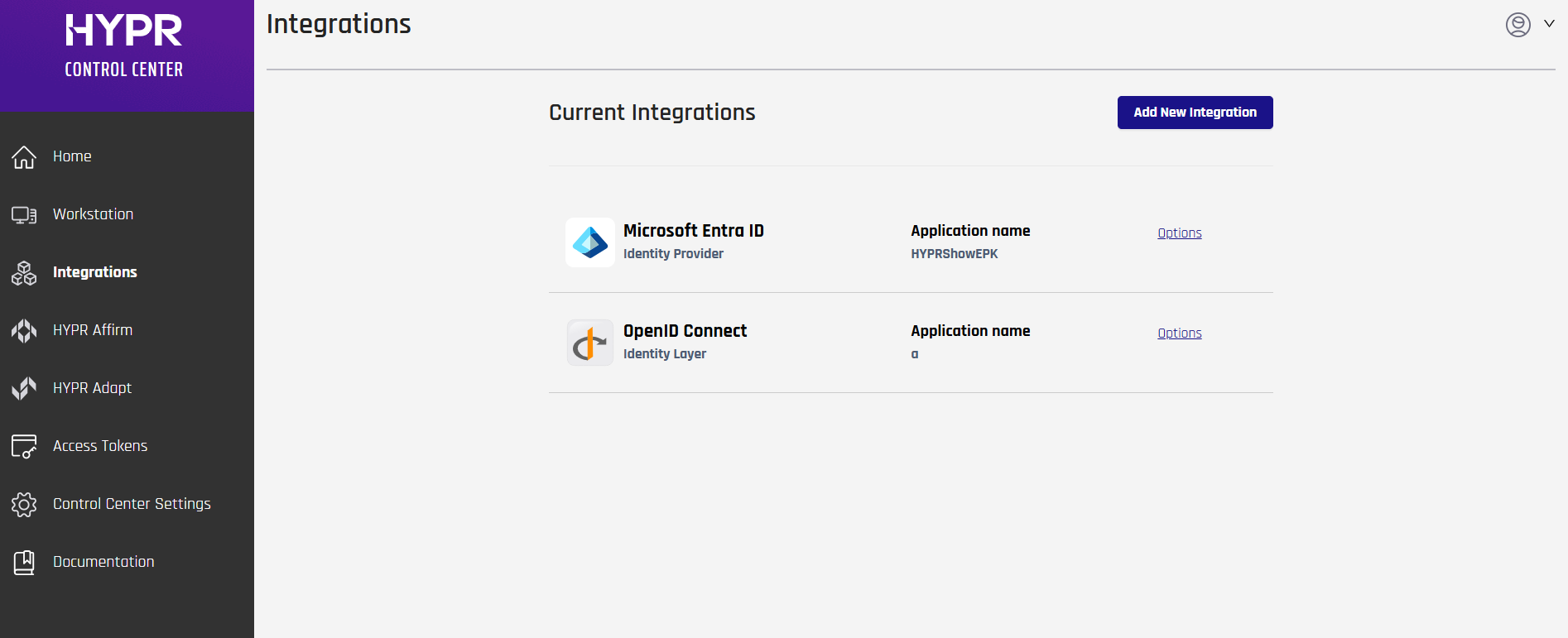
In the left navigation menu, click Integrations.
-
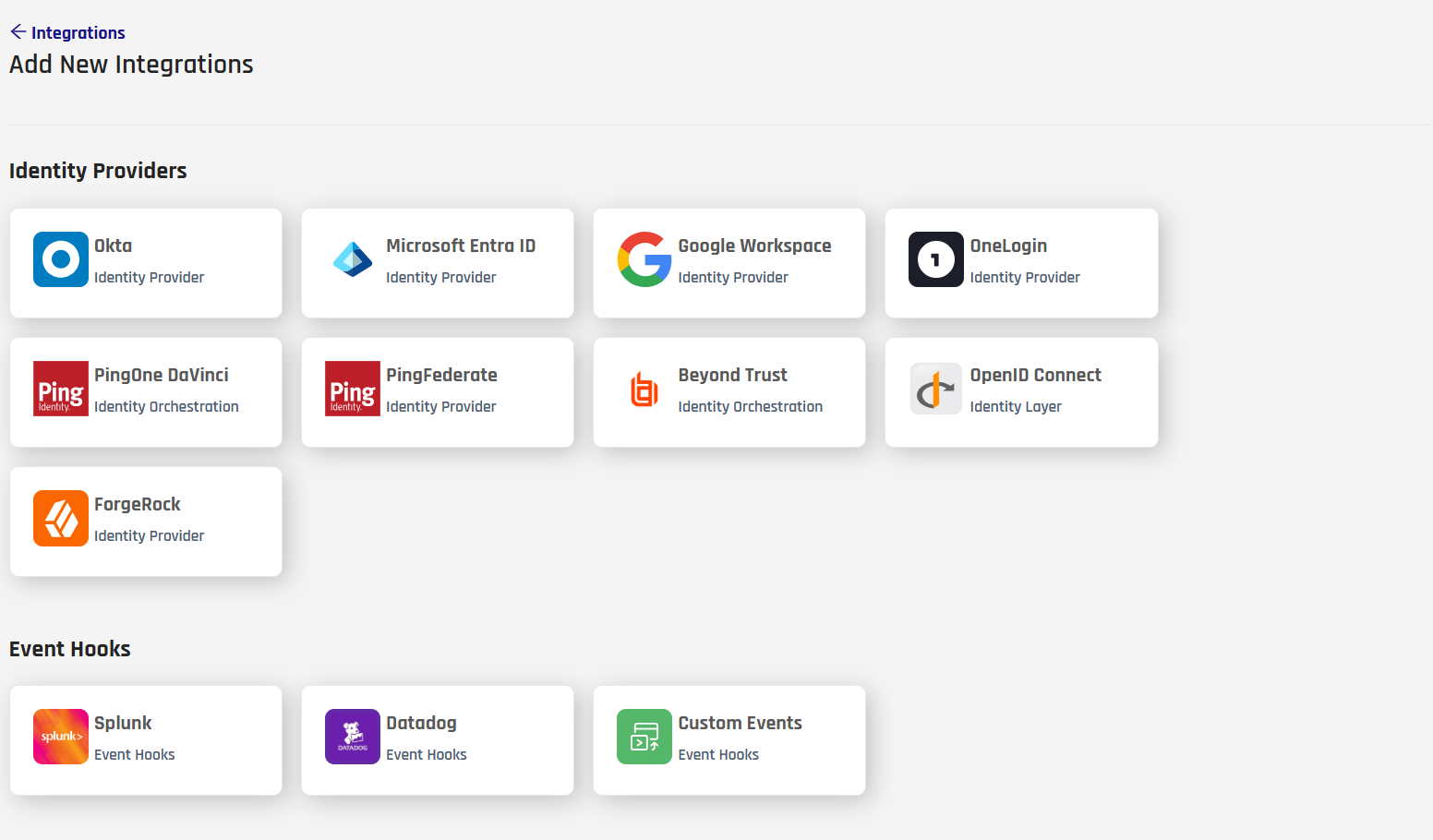
Click Add New Integration.
-
Under Event Hooks, click the Custom Events tile.
-
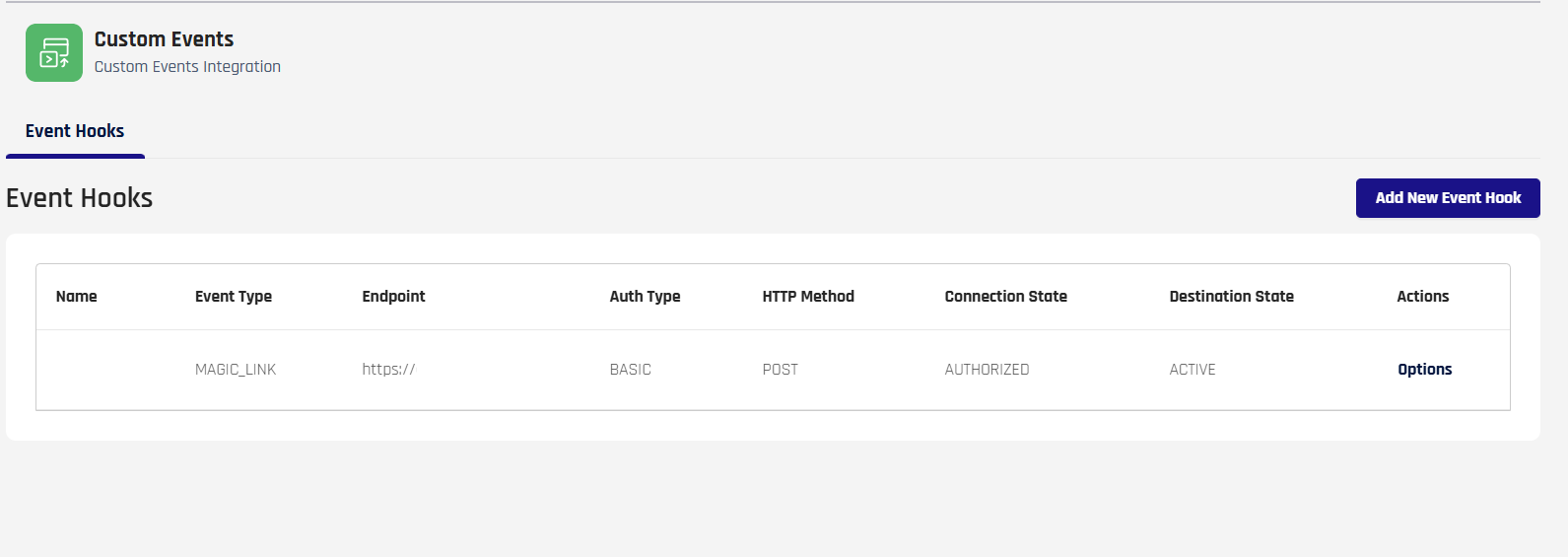
On the Custom Events page, click Add New Event Hook.
-
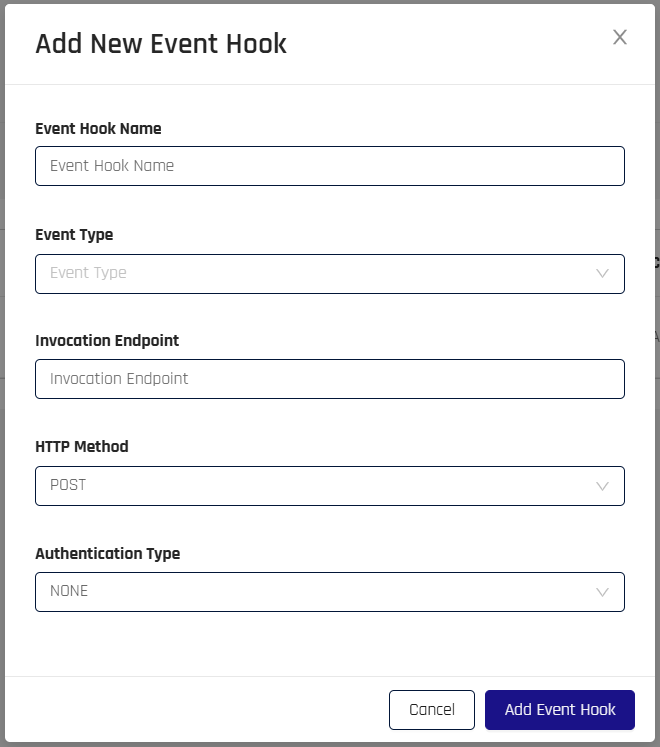
In the Add New Event Hook dialog, complete the following fields:
-
Event Hook Name: A unique name for this event hook.
-
Event Type: The category of HYPR events to forward. See Event Types below.
-
Invocation Endpoint: The URL of the target HTTP endpoint. The endpoint must be publicly accessible via DNS — HYPR's servers initiate the outbound connection to deliver events.
-
HTTP Method: The HTTP method to use when calling the endpoint: GET | POST | PUT | DELETE | PATCH.
-
Authentication Type: The authentication method for the endpoint. Additional fields appear based on your selection:
-
NONE: No authentication required. No additional fields.
-
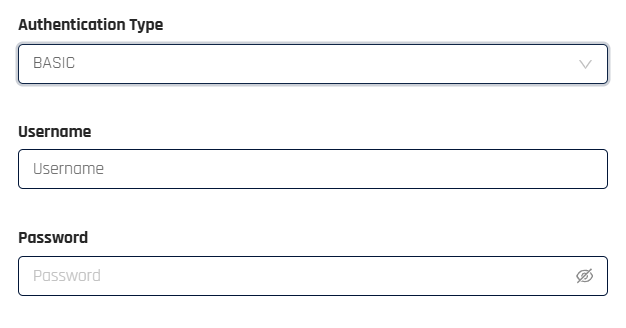
BASIC: Enter a Username and Password for Basic Authorization.
-
OAUTH_CLIENT_CREDENTIALS: Enter the Authorization Endpoint, Client ID, Client Secret, and the HTTP Method for the OAuth token request. Optionally, configure OAuth HTTP Parameters (header or query string parameters sent with the token request).
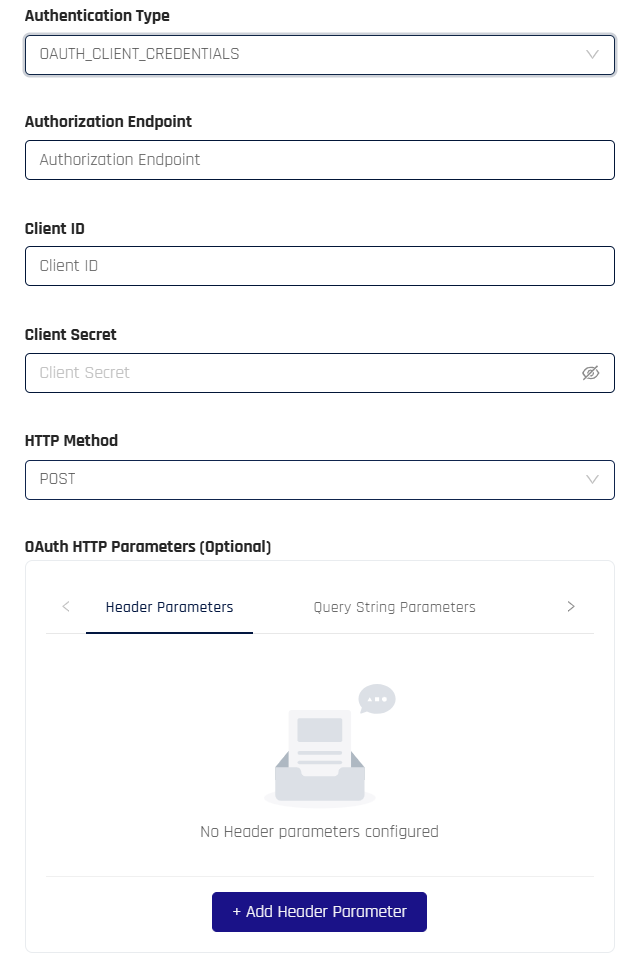
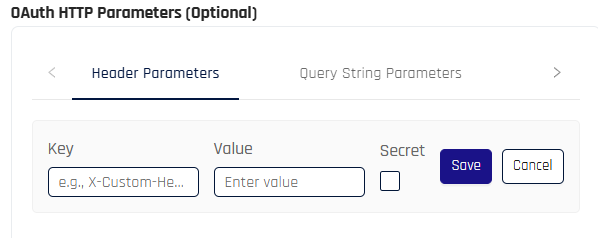
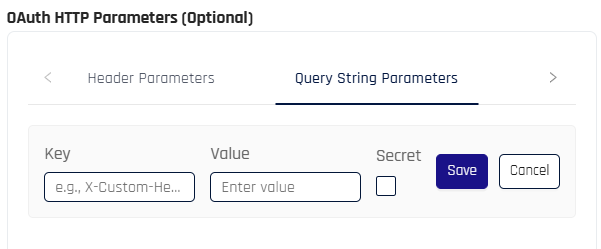
To add a parameter, click + Add Header Parameter on the Header Parameters tab, or switch to Query String Parameters and click the add button there. Enter a Key and Value, check Secret if the value should be treated as sensitive, and click Save.
Example header parameters:
Key Value Secret Content-Type application/json No Content-Encoding gzip No Example query string parameters:
Key Value Secret scope api://your-api/.default No grant_type client_credentials No -
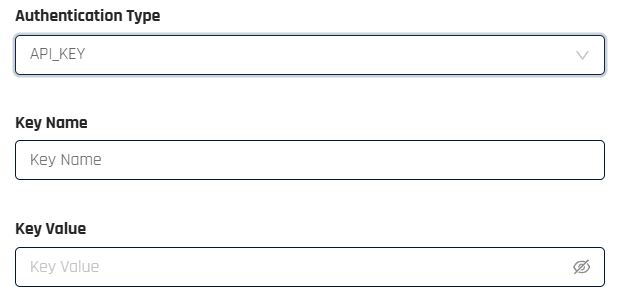
API_KEY: Enter a Key Name and Key Value. The key value is sent as a bearer token in the Authorization header.
-
-
-
Click Add Event Hook. Control Center returns to the Event Hooks page.
Event Types
The Event Type field determines which HYPR events the hook forwards:
| Event Type | Description |
|---|---|
| Registration Events | Device registration events |
| Web Registration Events | Web-based registration events |
| Authentication Events | Authentication attempt events |
| De-registration Events | Device de-registration events |
| Offline Access Events | Offline PIN and recovery events |
| Admin Events | Control Center administrator action events |
| Smart Key Events | Smart key events |
| Magic Link Events | Magic Link delivery and use events |
Event Hook Table
The Event Hooks table on the Custom Events page displays all configured hooks:
| Column | Description |
|---|---|
| Name | The unique name of the event hook. |
| Event Type | The event category the hook forwards. |
| Endpoint | The target invocation endpoint URL. |
| Auth Type | NONE | BASIC | OAUTH_CLIENT_CREDENTIALS | API_KEY |
| HTTP Method | GET | POST | PUT | DELETE | PATCH |
| Connection State | AUTHORIZED | AUTHORIZING | CREATING | DEAUTHORIZED | DEAUTHORIZING | DELETING | UPDATING |
| Destination State | ACTIVE | INACTIVE |
| Actions | Click Options to access Edit, Delete, and Read actions. |
See Event Descriptions: Event Parameters for a full list of event parameters and their values.
Editing a Custom Event Hook
-
On the Event Hooks table, click Options for the hook you want to modify, then select Edit.

-
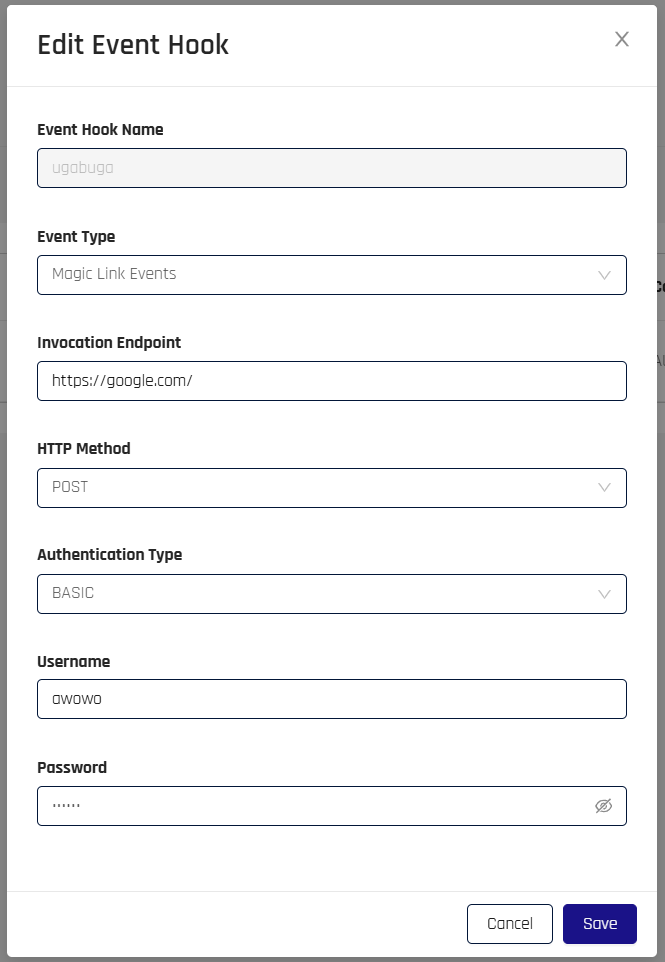
The Edit Event Hook dialog opens, pre-populated with the current values. The Event Hook Name cannot be changed. Update any other fields as needed.
-
Click Save.
Reading Events
The Read action retrieves events processed by the hook within a specified lookback window, useful for verifying that the hook is receiving and forwarding events as expected.
-
On the Event Hooks table, click Options for the hook, then select Read.
-
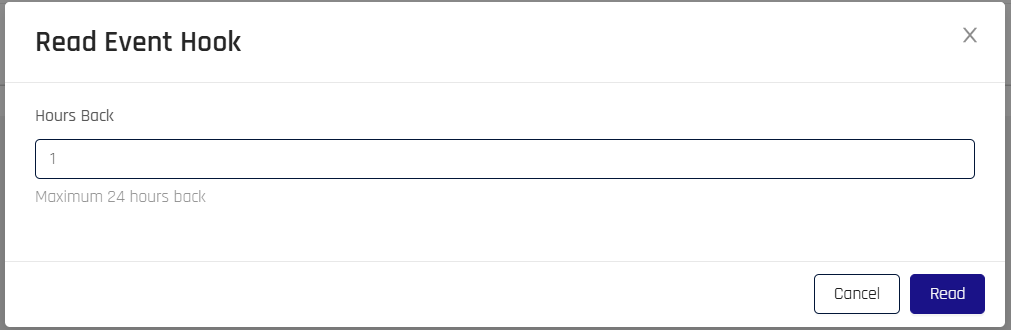
In the Read Event Hook dialog, enter the number of hours back to retrieve events from (maximum 24).
-
Click Read.
Deleting a Custom Event Hook
-
On the Event Hooks table, click Options for the hook you want to remove, then select Delete.
-
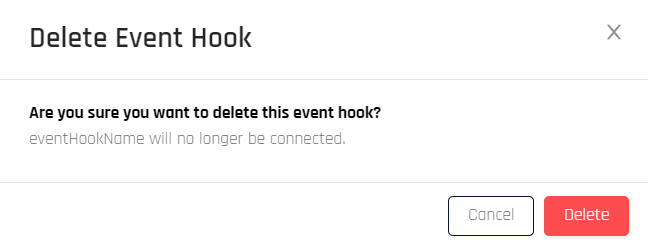
The Delete Event Hook dialog opens. Click Delete to confirm removal.
-
Control Center returns to the Event Hooks page.
You may also wish to delete related data from your target system if it is not used by any other processes.
Sample Event Hook JSON: Device Registration
Initiate Registration
{
 "version": "0",
 "id": "e0932981-65a5-1344-f27e-bcc395837a59",
 "detail-type": "log",
 "source": "hypr_event_hooks",
 "account": "527127228484",
 "time": "2024-07-23T16:01:04Z",
 "region": "us-east-1",
 "resources": [],
 "detail": {
  "data": {
   "id": "409878875789426688",
   "version": 4,
   "type": "AUDIT",
   "eventName": "FIDO2_DEVICE_REG",
   "message": "User example@hypr.com initiated FIDO2 key registration",
   "subName": "/devicemanager/fido2/controlCenterAdmin/attestation/options",
   "eventLoggedBy": "RELYING_PARTY_SERVER",
   "eventTimeInUTC": 1721750462863,
   "loggedTimeInUTC": 1721750462863,
   "tenantId": "mytenant",
   "remoteIP": "76.167.160.255",
   "userAgent": "Mozilla/5.0 (Macintosh; Intel Mac OS X 10_15_7) AppleWebKit/537.36 (KHTML, like Gecko) Chrome/126.0.0.0 Safari/537.36",
   "traceId": "5ed2c96dbab640b3",
   "additionalDetails": {},
   "deviceType": "WEBAUTHN",
   "rpAppId": "controlCenterAdmin",
   "machineId": "7951a92e1f0860a85d56ec3555a449292438122a7906587d6ebeb4f1791a2e59",
   "sessionId": "gpsx_5GWHjhGEdkxAiUjzj4mWXk",
   "machineUserName": "example@hypr.com",
   "deviceOS": "fido2",
   "serverRelVersion": "9.3.33",
   "origin": "localregion",
   "eventTags": "REGISTRATION",
   "isSuccessful": true
  },
  "dataSource": "cc",
  "date": "20240723",
  "hour": "16",
  "customerUuid": "6c029f8a-6b15-46a4-bfe8-ad69b43c9404",
  "tenantUuid": "baae56f0-52c2-44f2-8ae4-f7d26b49f563",
  "eventTags": [
   "REGISTRATION"
  ]
 }
}
Registration Failure
{
 "version": "0",
 "id": "007a2c58-b2ac-2f31-fdee-bef9b78af97e",
 "detail-type": "log",
 "source": "hypr_event_hooks",
 "account": "527127228484",
 "time": "2024-07-23T16:00:09Z",
 "region": "us-east-1",
 "resources": [],
 "detail": {
  "data": {
   "id": "409878646256140288",
   "version": 4,
   "type": "AUDIT",
   "eventName": "FIDO2_DEVICE_REG_COMPLETE",
   "message": "Challenge is invalid: Session not found for challenge b5jg_tptWGyOmANOQrJKTDVhb2g, possibly expired. Please contact HYPR customer support and report this issue. ExceptionId: 03a393ed-bd36-4867-905c-498de0043993",
   "subName": "/devicemanager/fido2/controlCenterAdmin/attestation/result",
   "eventLoggedBy": "RELYING_PARTY_SERVER",
   "eventTimeInUTC": 1721750408138,
   "loggedTimeInUTC": 1721750408138,
   "tenantId": "mytenant",
   "remoteIP": "76.167.160.255",
   "userAgent": "Mozilla/5.0 (Macintosh; Intel Mac OS X 10_15_7) AppleWebKit/537.36 (KHTML, like Gecko) Chrome/126.0.0.0 Safari/537.36",
   "traceId": "8dfa004f98988333",
   "additionalDetails": {},
   "errorCode": "1203010",
   "deviceType": "WEBAUTHN",
   "rpAppId": "controlCenterAdmin",
   "sessionId": "b5jg_tptWGyOmANOQrJKTDVhb2g",
   "deviceOS": "fido2",
   "serverRelVersion": "9.3.33",
   "origin": "localregion",
   "eventTags": "REGISTRATION",
   "isSuccessful": false
  },
  "dataSource": "cc",
  "date": "20240723",
  "hour": "16",
  "customerUuid": "6c029f8a-6b15-46a4-bfe8-ad69b43c9404",
  "tenantUuid": "baae56f0-52c2-44f2-8ae4-f7d26b49f563",
  "eventTags": [
   "REGISTRATION"
  ]
 }
}
Registration Success
{
 "version": "0",
 "id": "67aa1a17-bee7-66a4-8f53-1d8977f46a11",
 "detail-type": "log",
 "source": "hypr_event_hooks",
 "account": "527127228484",
 "time": "2024-07-23T16:01:19Z",
 "region": "us-east-1",
 "resources": [],
 "detail": {
  "data": {
   "id": "409878936980127744",
   "version": 4,
   "type": "AUDIT",
   "eventName": "FIDO2_DEVICE_REG_COMPLETE",
   "message": "FIDO2 key (fbfc3007154e4ecc8c0b6e020557d7bd) registered",
   "subName": "/devicemanager/fido2/controlCenterAdmin/attestation/result",
   "eventLoggedBy": "RELYING_PARTY_SERVER",
   "eventTimeInUTC": 1721750476896,
   "loggedTimeInUTC": 1721750477452,
   "tenantId": "mytenant",
   "remoteIP": "76.167.160.255",
   "userAgent": "Mozilla/5.0 (Macintosh; Intel Mac OS X 10_15_7) AppleWebKit/537.36 (KHTML, like Gecko) Chrome/126.0.0.0 Safari/537.36",
   "traceId": "33935e685859881d",
   "additionalDetails": {
    "extras": {
     "be": "true",
     "bs": "true",
     "rk": "true",
     "transports": "[internal, hybrid]"
    }
   },
   "deviceType": "WEBAUTHN",
   "rpAppId": "controlCenterAdmin",
   "deviceId": "9_dAVI3PhBcVkxugZnUsAg_r2e8",
   "machineId": "d27291371adad3cb5334bee73dcfb98e54b65e2bc2a6045cdd6ecf58f96ee6c6",
   "sessionId": "gpsx_5GWHjhGEdkxAiUjzj4mWXk",
   "machineUserName": "example@hypr.com",
   "authenticator": "fbfc3007154e4ecc8c0b6e020557d7bd",
   "deviceOS": "fido2",
   "serverRelVersion": "9.3.33",
   "origin": "localregion",
   "eventTags": "REGISTRATION",
   "isSuccessful": true
  },
  "dataSource": "cc",
  "date": "20240723",
  "hour": "16",
  "customerUuid": "6c029f8a-6b15-46a4-bfe8-ad69b43c9404",
  "tenantUuid": "baae56f0-52c2-44f2-8ae4-f7d26b49f563",
  "eventTags": [
   "REGISTRATION"
  ]
 }
}