Okta Password Reset for HYPR Affirm
When a requester successfully completes a HYPR Affirm verification flow, HYPR can reset the requester's Okta password as the outcome. This integration is primarily used in account recovery workflows where the user has lost access and needs a fresh credential after verifying their identity.
This integration requires an Okta integration configured in HYPR Control Center and the appropriate Okta password policy configuration to allow self-service resets.
For where the Okta Password Reset outcome is selected in the verification flow editor, see Configure Verification Steps → Verified Outcome.
Some functionality is limited. This article is subject to change as the feature develops.
Okta password policy configuration
The ability to reset a password in Okta depends on the tenant's password-policy configuration. To check the configuration, navigate to Security > Authentication in your Okta tenant.
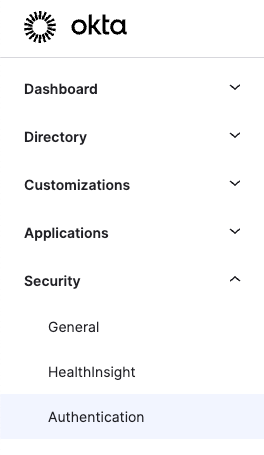
Okta displays the configured password policies for your Okta tenant.
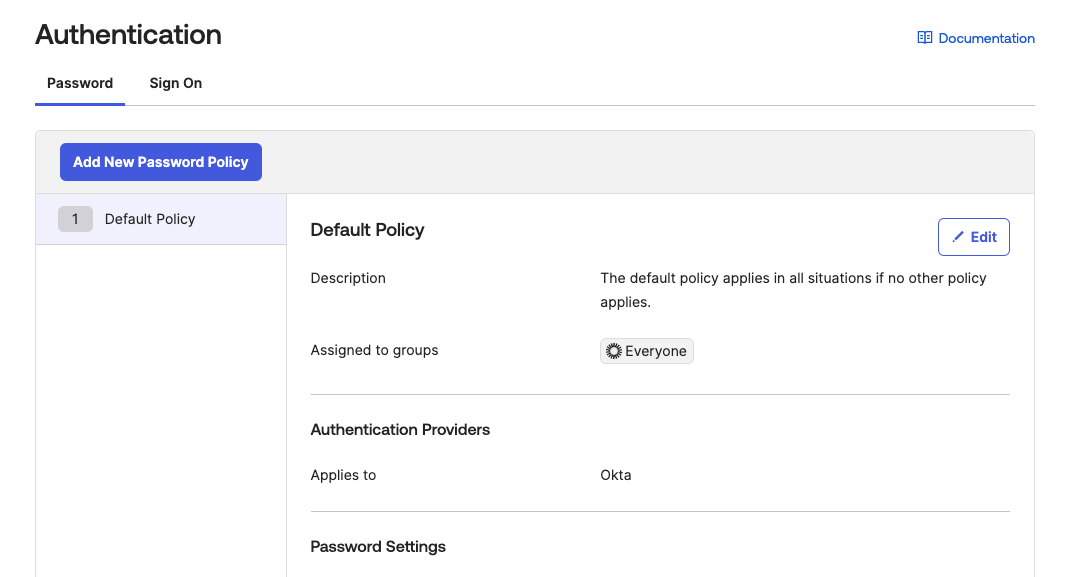
For a policy such as the default policy shown above, to allow password resets for your users, you must have a rule at the bottom of the policy that allows password resets.
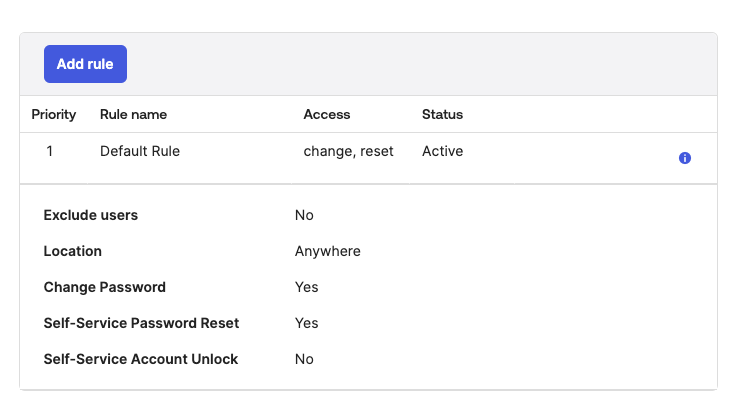
Active Directory users synced to Okta
If your Okta tenant has users synced with Active Directory, the default rule in the Active Directory policy may not permit password resets.
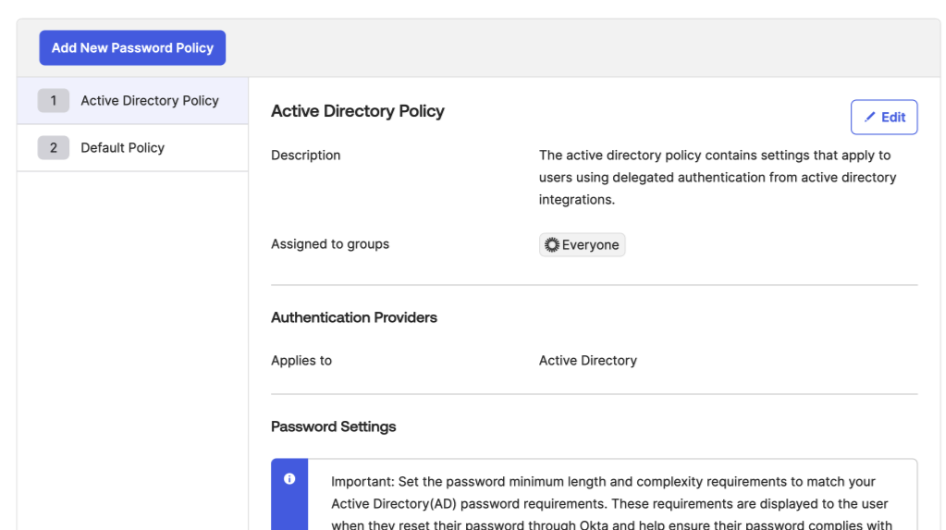
For your users to reset their passwords, you must add a new rule.
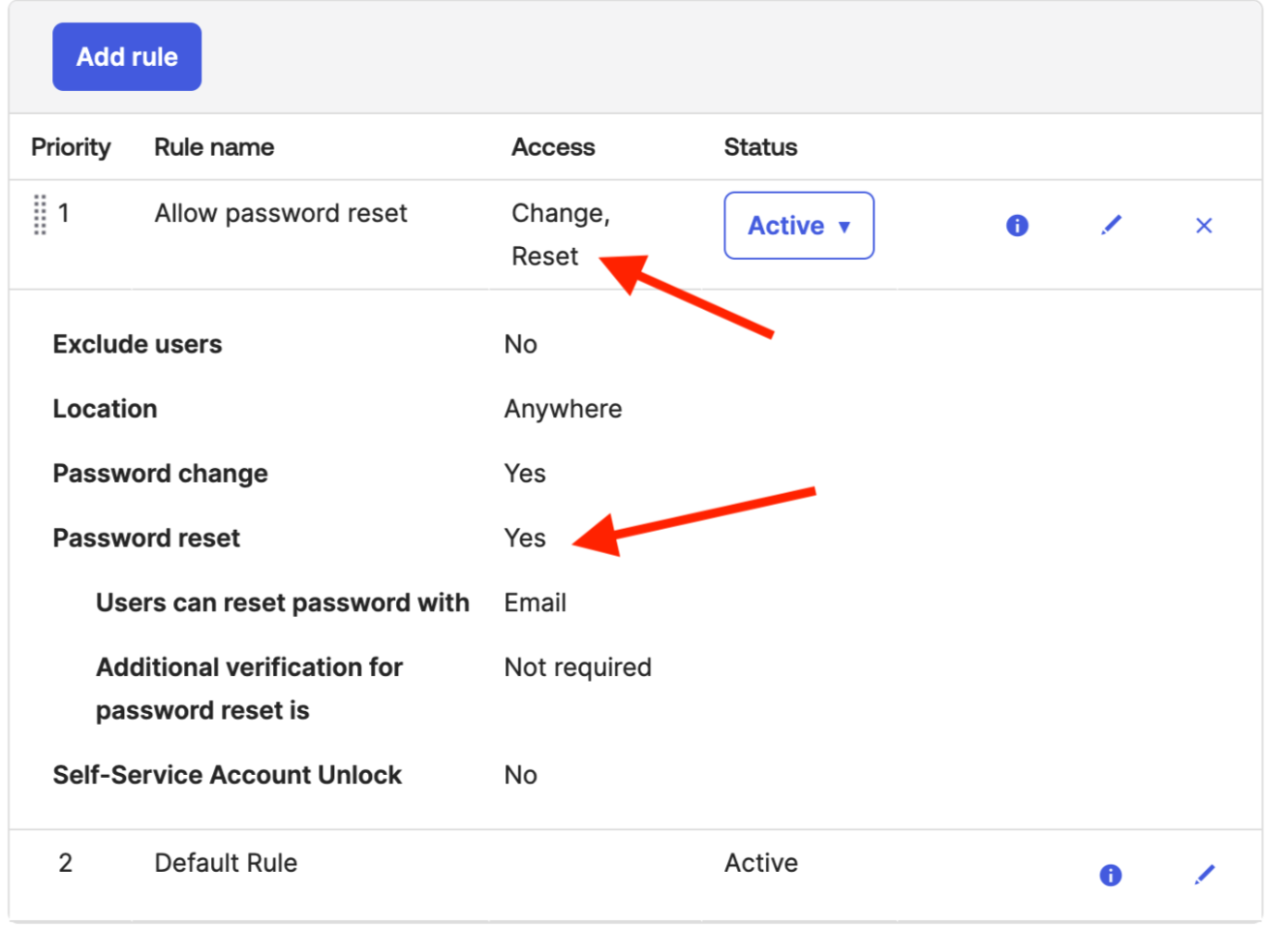
For detailed information, see this Okta KB article: Users unable to reset AD password through Okta.
Related
- Configuring HYPR Affirm — author and configure verification flows
- Verified Outcome — outcome configuration in the workflow editor