Submit a Feature Request
A feature request should be submitted through the HYPR Enhancements Portal. In the request, clearly describe the primary use case for the feature, your desired change in the software, and any additional information that helps HYPR triage and scope the request. Upon successful submission, you will receive an email notifying you of your ticket number, and your feature request is updated to Awaiting Review status.
To Submit a Feature Request
-
Browse to https://enhancements.hypr.com/ideas/new and sign in with your registered email address.
-
Complete the Add Feature Request form. All fields marked Required must be filled in.
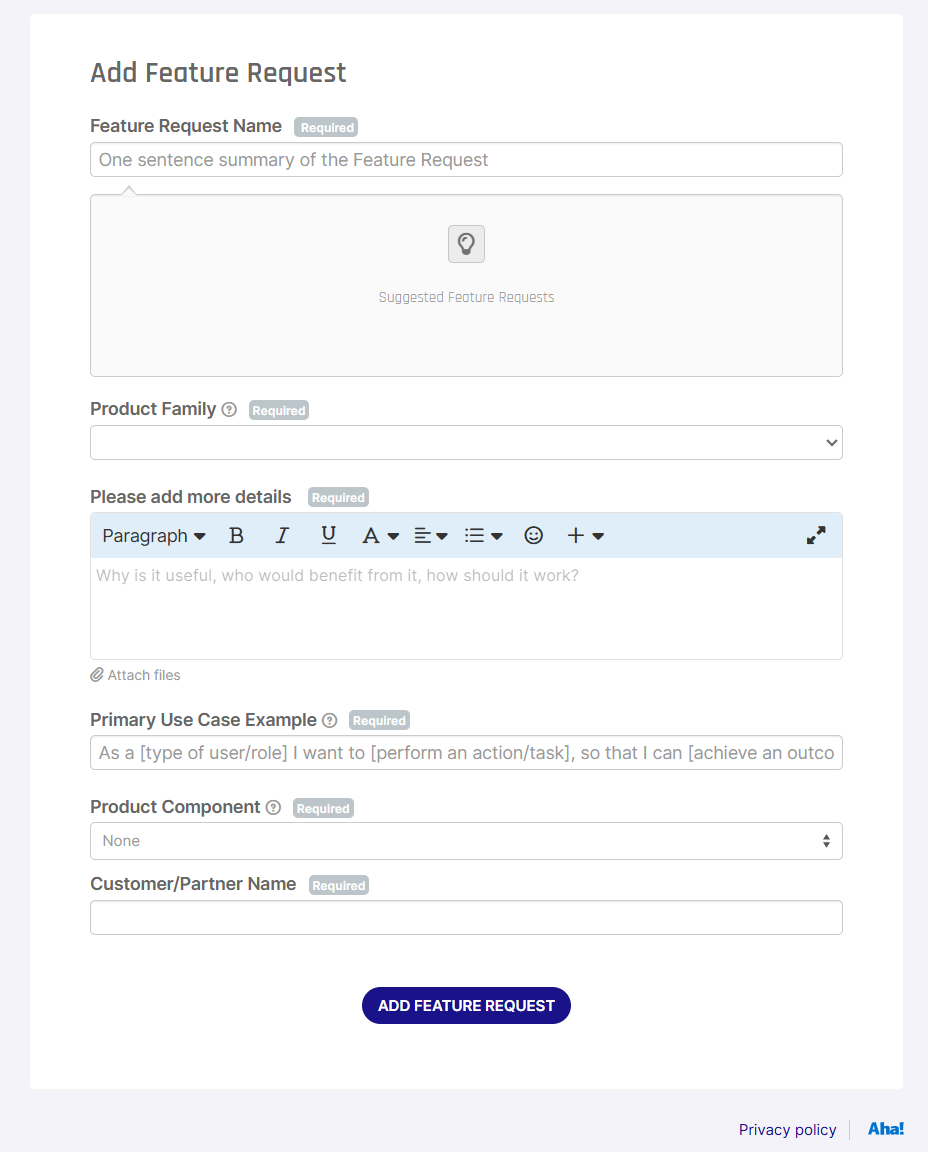
Field What to enter Feature Request Name A one-sentence summary of the request. The portal shows Suggested Feature Requests as you type — review these first to avoid duplicates. Product Family The HYPR product line the request applies to. Please add more details Why the feature is useful, who benefits, and how it should work. You can attach files. Primary Use Case Example Follow the format "As a [type of user/role] I want to [perform an action/task], so that I can [achieve an outcome]". Product Component One or more specific components within the chosen Product Family. Customer/Partner Name Your organization's name. -
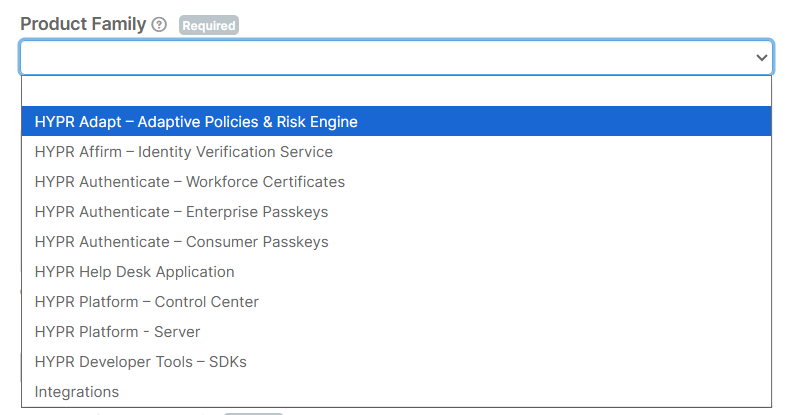
Select the Product Family that best matches your request.
-
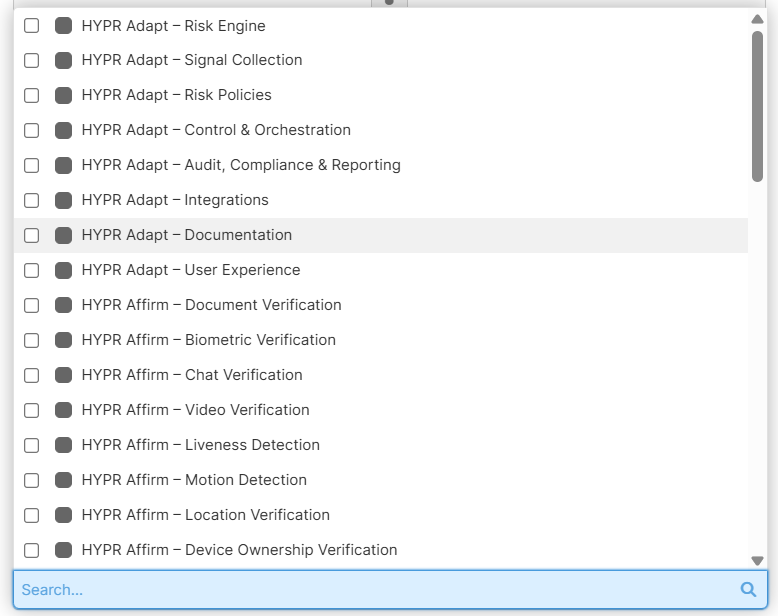
Select one or more Product Components. The dropdown is searchable.
-
When all required fields are complete, click ADD FEATURE REQUEST.
What Happens Next?
After you submit, the relevant HYPR team is notified to evaluate ideas and feature requests. There is no service level or commitment for when an idea or feature request is processed. The HYPR team posts status updates and communicates through the idea ticket, so you can stay informed along the way.
| Status | Description |
|---|---|
| Received – In Review | The HYPR team is reviewing all ideas and requests, including yours. |
| Received – Requires Discovery | The HYPR Product team needs to perform discovery activities, which may include gathering more information from you and other customers and validating the idea or request for feasibility. |
| Accepted – In Backlog | The HYPR Product team has accepted the idea or request into the applicable Product Backlog as a potential candidate for future development. This does not mean the feature request is committed to the roadmap. |
| Accepted – On Roadmap | The HYPR Product team has selected your idea or feature as a roadmap item to be designed, defined, and planned for a future release — but it is not guaranteed to be delivered. |
| Accepted – In Development | The HYPR Development team is actively building the planned feature that was sourced from your idea or feature request. |
Can I Submit a Bug through the Enhancements Portal?
The HYPR Enhancements Portal is not intended for reporting bugs or seeking technical assistance with existing features/functionality. For those requests, please submit a Zendesk ticket here.