Contact Support
Clicking Contact Support at the bottom left of the HYPR Passwordless client opens a form to submit critical information, including log files, to a predefined email address. Both the Contact Support and Need Assistance? labels now include handy customizations to improve the user experience when help is needed.
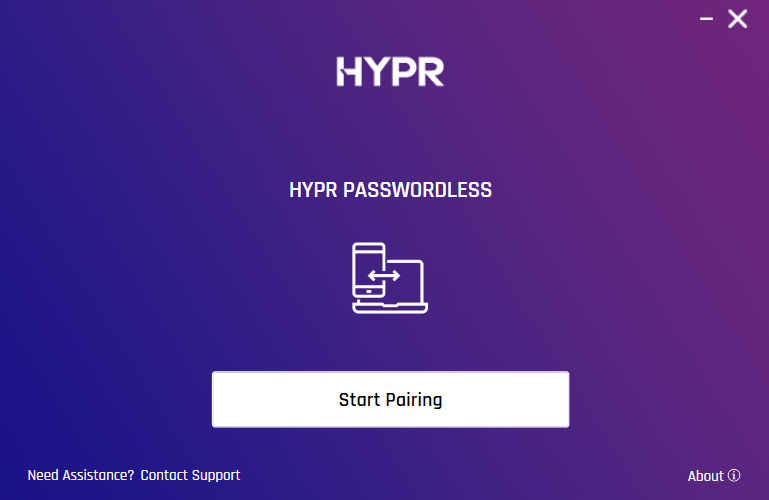
Optional Support Email
Previously the support email address was a mandatory configuration setting. This is now controlled using the following settings:
-
Mac: Optional Support Email is controlled by the
SupportEmailconfiguration setting in theHyprOneService.plistfile. -
Windows: Optional Support Email is controlled by the
Support Emailregistry key orsupportEmailin thehypr.jsonfile.
Support Email Functionality
-
If a support email address is configured, clicking Send on the Contact Support dialog opens the default email client with that address filled in.
-
If no support email address is configured, the user enters an address in the email client and sends the email.
Contact Support Label Customization
The Contact Support link label can be customized:
- Mac: The Contact Support label is controlled by the
SendLogsPromptconfiguration setting in theHyprOneService.plistfile. - Windows: The Contact Support label is controlled by the
Send Logs Promptregistry key orsendLogsPromptin thehypr.jsonfile.
Need Assistance? Label Customization
The Need Assistance? label can be customized to open a URL (e.g., a help page, intranet site, support site) in the default browser.
-
Mac: The Need Assistance? label is controlled by the
SupportURLconfiguration setting in theHyprOneService.plistfile. -
Windows: The Need Assistance? label is controlled by the
Support URLregistry key orsupportURLin thehypr.jsonfile.
For a comprehensive list of installation parameters, see HYPR Passwordless: Windows Installation Parameters and macOS Installation Parameters.
Advanced Label and Behavior Customization
To offer more personalized messaging for your users, you can customize both the label and the behavior (e.g., opening a URL) of the Contact Support and Need Assistance? options. This can be done through the Advanced Branding Customization for HYPR Passwordless.