Cursor
HYPR AgentPass™ manages Cursor through Endpoint Guard. Cursor receives your published MCP connectors and reports agent activity through its own event hooks. Cursor does not route model inference through the gateway.
Enable Cursor
-
Enroll the workstation with Endpoint Guard for macOS or Windows.
-
In the console, open Desktops, click the Desktop configuration tab, and choose Configuration.
-
If Configure agents from AgentPass is off, turn it on, and click Turn on to confirm.
-
Turn on Configure Cursor.
-
Keep Provide MCP servers selected.
To keep a connector from Cursor, turn off Publish to endpoint catalog on that connector.
-
Click Save.
-
After Endpoint Guard updates the MCP configuration, restart Cursor.
Where Endpoint Guard Writes
Endpoint Guard merges its entries into Cursor's own files. Connectors and hooks the developer added stay in place.
-
MCP connectors go into
~/.cursor/mcp.json. -
Observation hooks go into Cursor's system-level
hooks.json. On macOS, that is/Library/Application Support/Cursor/hooks.json. On Windows, it isC:\ProgramData\Cursor\hooks.json. -
Fallback: where the system file cannot be written, Endpoint Guard uses
~/.cursor/hooks.json.
See Endpoint Configuration Locations.
What AgentPass Applies
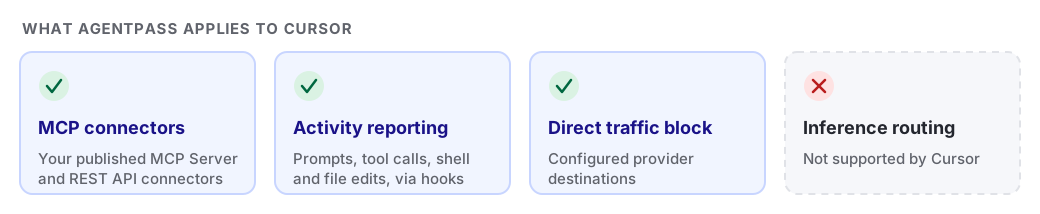
AgentPass applies these capabilities to Cursor.
| Capability | Cursor behavior |
|---|---|
| Provide MCP servers | Adds published MCP Server and REST API connectors |
| Report activity through the tool's hooks | Reports prompts, responses, tool calls, shell commands and file-edit events through Cursor hooks |
| Block direct traffic | Blocks configured provider destinations for the signed Cursor application |
| Inference routing | Not supported by Cursor |
-
For fleet configuration, see Managed Desktop Tools.
-
For operating-system support, see Supported Platforms and Components.