Running Agent Access Reviews
An access review asks named people to confirm that each agent still needs the access it has. HYPR AgentPass™ collects the evidence for every agent in scope, shares the agents out between the reviewers, reminds them until they finish, and records every decision. A removal takes effect straight away, through the same controls an administrator uses.
In the console, Access reviews carries a Preview tag.
This page is for the people who run the program: they set the schedules, open reviews, follow progress, and export the results. The reviewer's side is in Reviewing Agent Access.
Who Can Do What
Two permissions govern access reviews. See Roles and Permissions for how permissions and scope work.
| Permission | Lets a person | Built-in roles |
|---|---|---|
Access reviews: Manage (access-reviews:manage) | Set schedules, open and close reviews, assign reviewers, retry removals, and export results | Admin |
Access reviews: Review (access-reviews:review) | Decide the agents assigned to them, at Own scope, and nothing else | Admin and Operator |
Holding Access reviews: Manage does not let a person decide an agent that is not assigned to them. A person with both permissions sees two tabs under Access reviews: My reviews and Manage reviews.
Security analyst, Auditor, Supervisor and Model governance owner hold neither permission, so Access reviews is not in their navigation. An auditor receives a review's results as the export file that the program owner, a person with Access reviews: Manage, produces. See Export the Results.
To be a reviewer, a person must hold Access reviews: Review and be an active person in your directory. AgentPass checks this when you name them, and again every time they decide. Nobody reviews an agent they own. When a reviewer turns out to own an agent, it goes to another reviewer.
Which Agents Are Reviewed
Reviews cover cloud agents, AWS agents, workload agents and people's desktop AI apps. A person's desktop apps are reviewed together as one item. What a review includes depends on each agent's lifecycle stage — see Lifecycle Stages:
| Stage | Reviewed |
|---|---|
| Production | Yes, on the Production agents schedule |
| Retain data only | Yes, on its own schedule — the agent is switched off, but its access is still worth confirming |
| Retired | Never |
A person's desktop AI apps are reviewed with Production agents only.
When a review opens, AgentPass takes a snapshot of each agent's access and usage. Reviewers decide on that snapshot, and the export carries it, so the record shows exactly what each person saw.
Set a Schedule
Open Access reviews › Manage reviews › Schedules. There is one card per stage: Production agents and Agents kept for their data only.
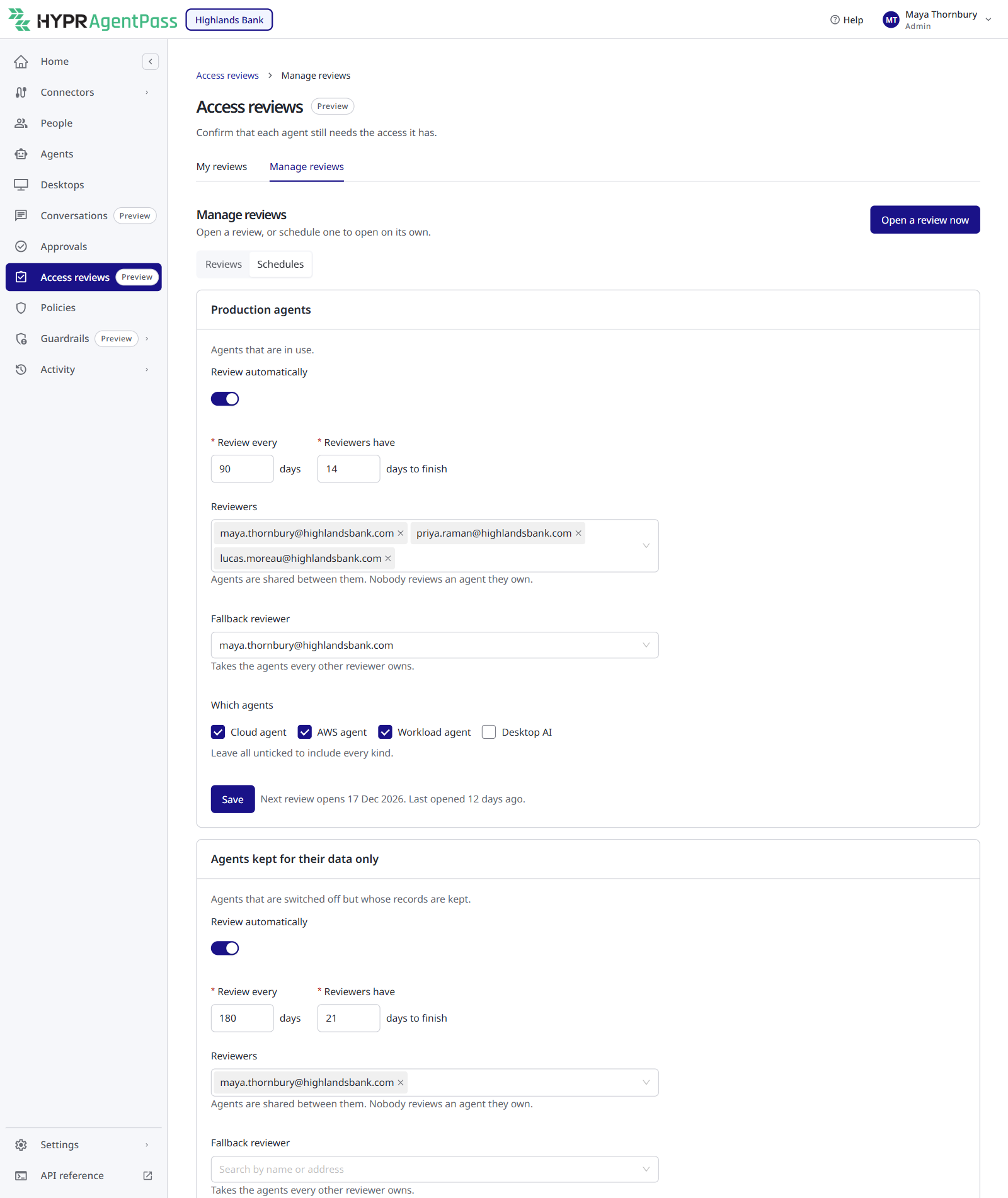
| Field | What it does | Default | Allowed |
|---|---|---|---|
| Review automatically | Opens a review for this stage on the schedule | Off | — |
| Review every … days | Time between one review opening and the next | 90 days (Production), 365 days (Retain data only) | 30–730 days |
| Reviewers have … days to finish | Time from opening to the due date | 14 days | 3–90 days, and no longer than the time between reviews |
| Reviewers | The people who share the agents. Nobody reviews an agent they own | — | At least one, to turn the schedule on |
| Fallback reviewer | Takes the agents that every other reviewer owns | — | Optional |
| Which agents | Limits the review to certain kinds of agent. Leave all unticked to include every kind | Every kind | — |
Click Save. A schedule cannot be turned on until it names at least one reviewer, and every reviewer, including the fallback, must be eligible when you save. If a named reviewer later stops being eligible, the card lists them under Fix before the next review opens.
When you turn a schedule on for the first time, the first review opens within the hour. After that, the card shows when the next one opens. A review opens only when the previous scheduled review for that stage is no longer open, so the same period is never reviewed twice. Scheduled reviews are named for the stage and the month, for example Production agents review — October 2026.
Every change to a schedule is recorded in the audit trail with its before and after values.
Open a Review Now
Open a one-off review at any time — before an audit, for one team's agents or after an incident. On the Reviews tab, click Open a review now.
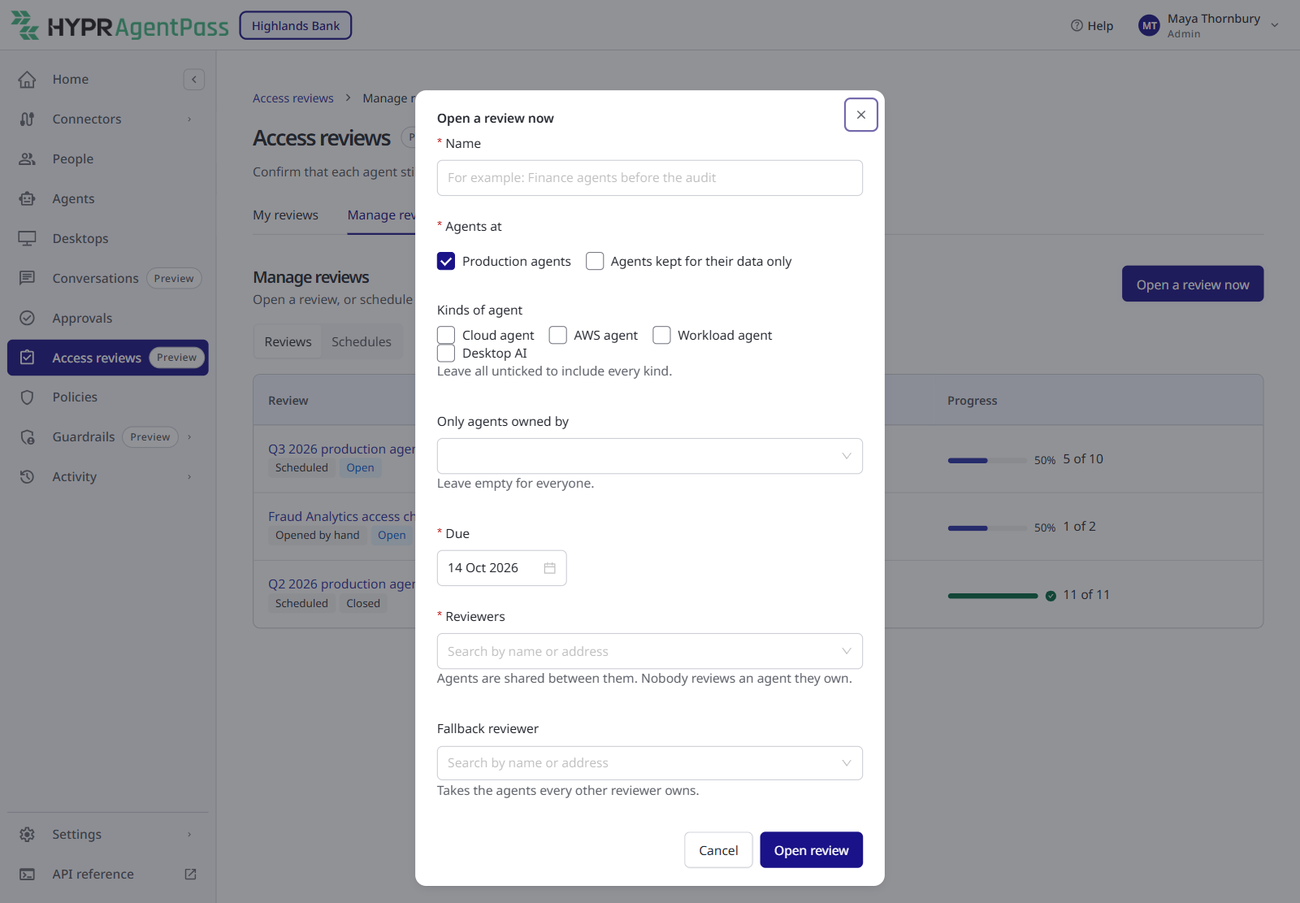
- Name — how the review appears to reviewers, for example Finance agents before the audit. Up to 200 characters.
- Agents at — the stages to include. Production is selected by default.
- Kinds of agent — leave all unticked to include every kind.
- Only agents owned by — limit the review to certain owners. Leave empty for everyone.
- Due — the date reviewers must finish by. It defaults to 14 days from today.
- Reviewers and Fallback reviewer — as for a schedule.
AgentPass opens the review when at least one named reviewer is eligible. A fallback reviewer, when you name one, must be eligible.
Click Open review. The review shows as Preparing while AgentPass collects the evidence, and agents appear in reviewers' inboxes within a minute.
Follow a Review
The Reviews tab lists every review, with its origin (Scheduled or Opened by hand), its status (Preparing, Open or Closed), its due date and its progress. An overdue review is marked Overdue.
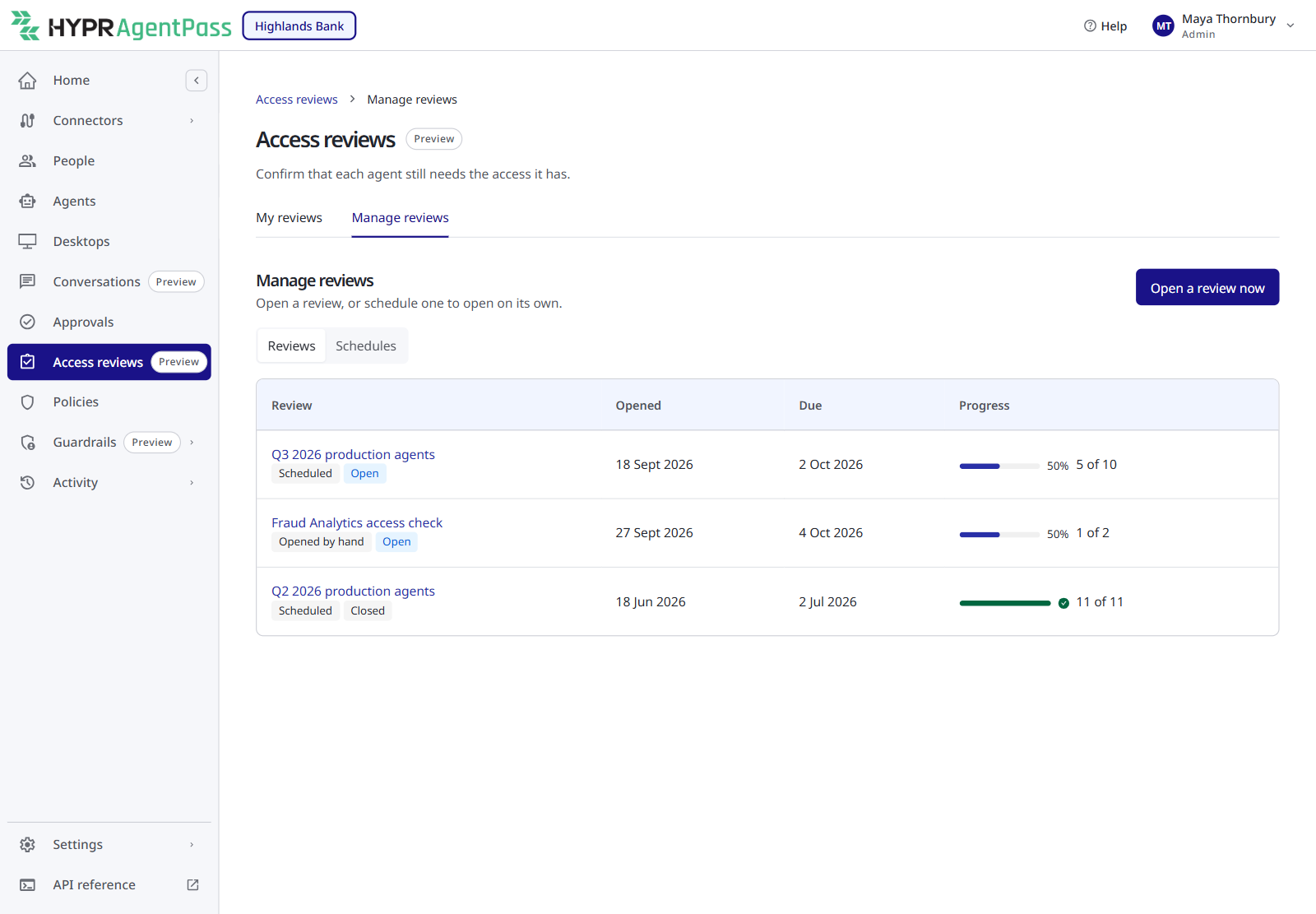
Click a review to open it.
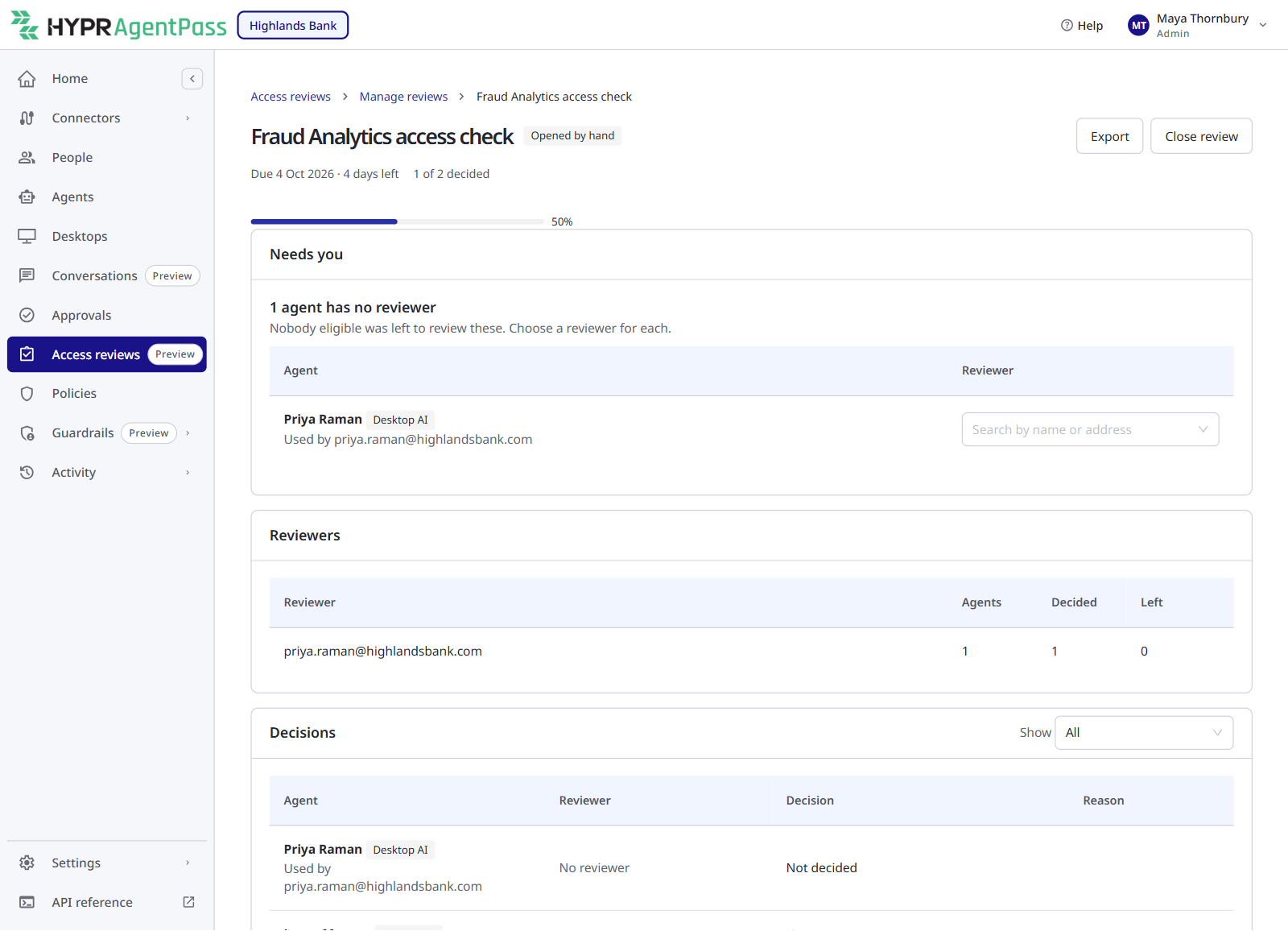
- Header — the due date, how many agents are decided, and the Export and Close review actions. An overdue review also shows how many agents are still undecided; reviewers are reminded weekly.
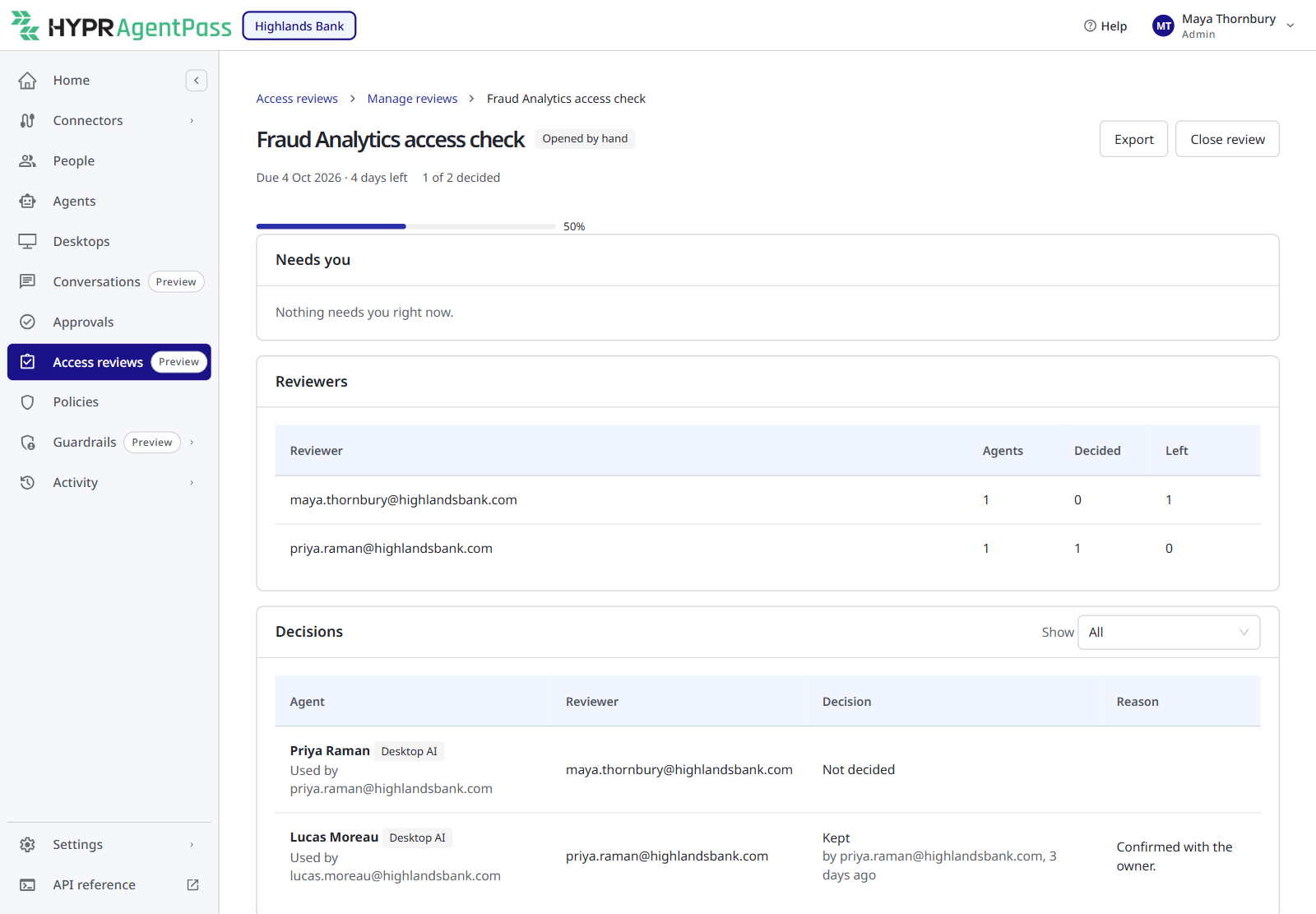
- Needs you — work that only a manager can do. It reads Nothing needs you right now when there is none.
- Reviewers — each reviewer's Agents, Decided and Left.
- Decisions — every agent with its reviewer, decision and reason. Use Show to narrow the list to one decision.
Agents With No Reviewer
AgentPass shares agents between the named reviewers, and never gives a reviewer an agent they own. The fallback reviewer takes an agent when no named reviewer can. When nobody eligible is left, the agent has no reviewer. It appears under Needs you, and AgentPass emails the review's managers once.
Choose a reviewer from the list beside each agent. The new reviewer is sent the same email the others received.
Removals That Did Not Apply
A reviewer's removal is recorded first and then applied. If the change cannot be made — for example, because the AWS account behind an agent refused it — the decision stays recorded and the agent appears under Needs you, with the reason. AgentPass also emails the review's managers.
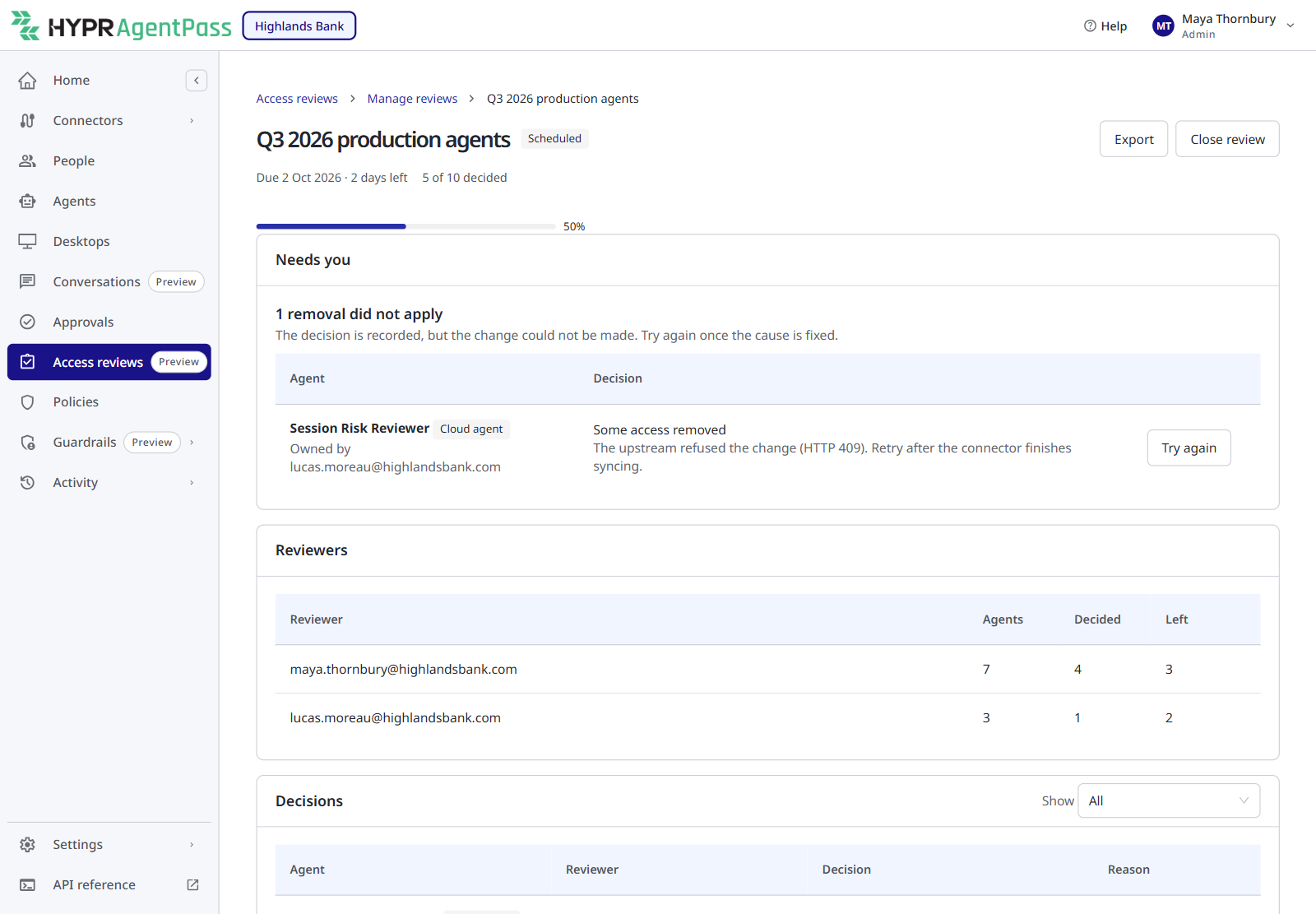
Fix the cause, then click Try again. The agent stays under Needs you until the removal applies.
Export the Results
Click Export, and choose a format:
- Spreadsheet (CSV) — one row per agent.
- JSON, with evidence — the same fields, plus the evidence snapshot each decision was made on.
The file is named access-review-<id>.csv or access-review-<id>.json. Every export is recorded in the audit trail with its format. The fields are a stable contract for identity-governance tools: new fields may be added, and existing fields are never renamed.
| Field | What it holds |
|---|---|
campaign_id | The review's identifier |
campaign_name | The review's name |
opened_at | When the review opened |
due_at | When the review was due |
closed_at | When the review closed; empty while it is open |
agent_ref | The agent's identifier |
agent_kind | cloud, agentcore (AWS agent), workload, or person (one person's desktop AI apps) |
agent_name | The agent's name |
owner_email | The agent's owner |
lifecycle_stage | The agent's stage when the review opened |
reviewer_email | The reviewer; empty when the agent had no reviewer |
decision | PENDING, KEEP, REMOVE_SOME, REMOVE_ALL or NOT_REVIEWED |
bulk | true when the agent was kept with Keep all unchanged |
removed | What a removal took away, as type:value pairs separated by ; |
reason | The reviewer's reason |
decided_at | When the decision was made |
applied_at | When a removal took effect |
apply_error | Why a removal could not be applied |
access_hash | A fingerprint of the agent's access when the review opened. The same value in two reviews means the same access |
The CSV file is safe to open in a spreadsheet. A value that begins with =, +, -, @, a tab or a carriage return is written with a leading ', so an agent name can never run as a formula.
Close a Review
A review stays open until a manager closes it. While a scheduled review is open, the next one for that stage waits.
Click Close review. Any agent not yet decided is recorded as Not reviewed, and reviewers can no longer decide. The confirmation, Close this review?, says how many agents are still undecided. When every agent is decided, it says reviewers can no longer change their decisions. Click Yes, close review to confirm.
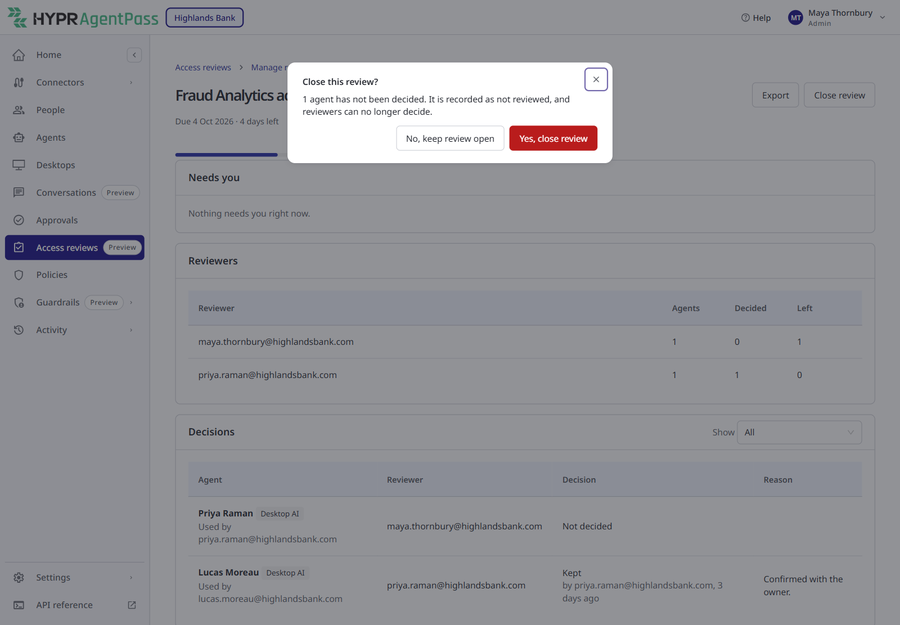
Closing a review is recorded in the audit trail, like opening one. Export the review after closing it to keep the final record.
What Managers Are Told
Reviewers are reminded by email until they finish — see Notifications. The people who hold Access reviews: Manage are told by email when:
- a review has agents with no reviewer (once per review);
- a reviewer's removal could not be applied;
- a review is overdue — the day after the due date, then every 7 days until it is closed, with a summary of how many agents are still undecided.
Each email links to the review when your organization's console address is known to AgentPass. Without that address, the email is sent without a button.
The reviewer suggestions and the list of managers who receive these emails only include people whose role was assigned to them explicitly. A person who holds a permission only through your organization's default role does not appear in the suggestions and does not receive manager emails. You can still name such a person as a reviewer by typing their address; AgentPass checks that they are eligible when you save.
What Is Recorded
AgentPass records each of these in the audit trail: a review opening and closing, a reviewer being assigned, every decision, every removal a review applies, every change to a schedule, and every export.
The Recovery Administrator as a Reviewer
A reviewer is normally one named person. The exception is the recovery administrator. It can review while local sign-in is available, because its role holds the review permission. It is a shared break-glass account, so its decisions are recorded under that account and cannot be traced to one person. Name individual people as reviewers.
Related
- Reviewing Agent Access — the reviewer's inbox, evidence and decisions
- Lifecycle Stages — which stage decides which schedule an agent is reviewed on
- Roles and Permissions — grant the review permissions to a custom role
- Security Controls Reference — the access-review controls, stated for an auditor