SMS Notification Branding
HYPR Affirm sends SMS messages during verification flows and Helpdesk operations — an OTP to the requester, an approver-invitation SMS to a manager, a Helpdesk verification link to a caller. SMS Notification Branding controls what those messages say and how they identify your organization.
This page describes what the recipient sees and which message types can be branded. For the configuration walkthrough, see Custom Branding (Control Center documentation).
SMS message types Affirm sends
Affirm sends three categories of SMS, each independently customizable:
Affirm OTP
Sent to a requester during the Phone Number / Email Verification step when SMS delivery is chosen. The message contains the verification code the requester types into the OTP screen.
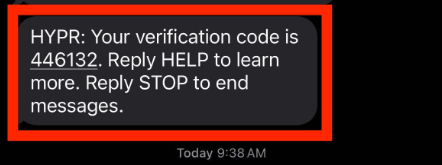
Manager (approver) invitation
Sent to a manager or other assigned approver when a verification flow requires their attestation. The message contains a magic link the approver uses to open the approval surface.
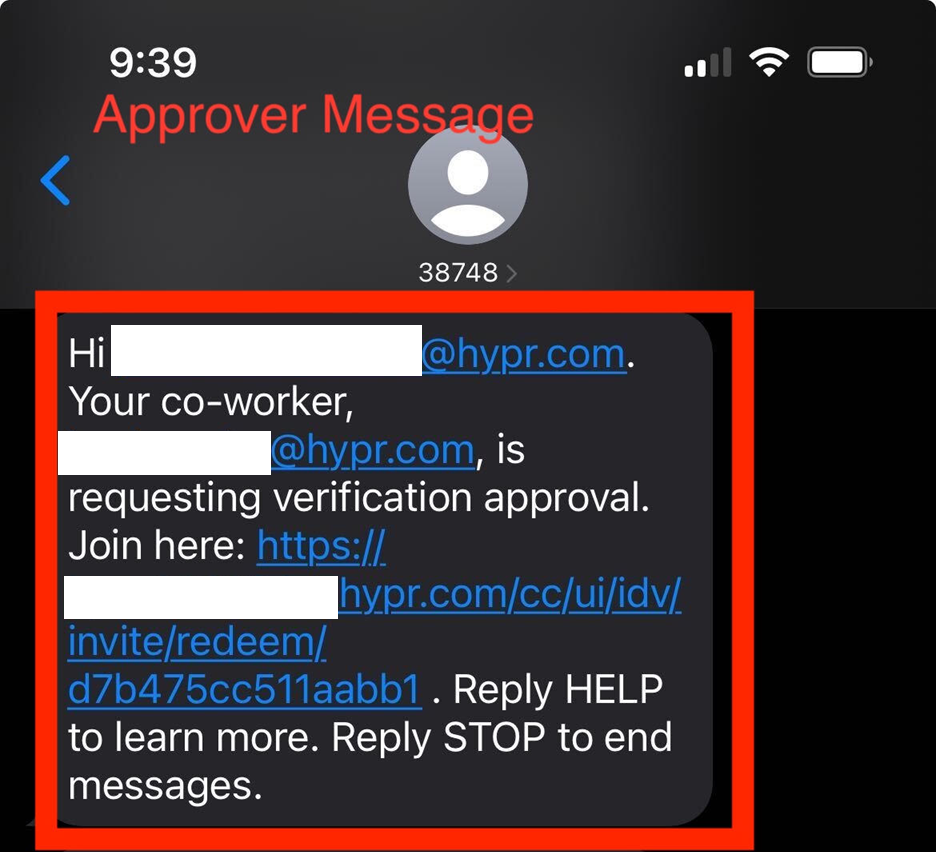
Helpdesk verification invitation
Sent to a caller when a Helpdesk agent initializes a verification flow on their behalf via SMS delivery. The message contains the verification flow URL.
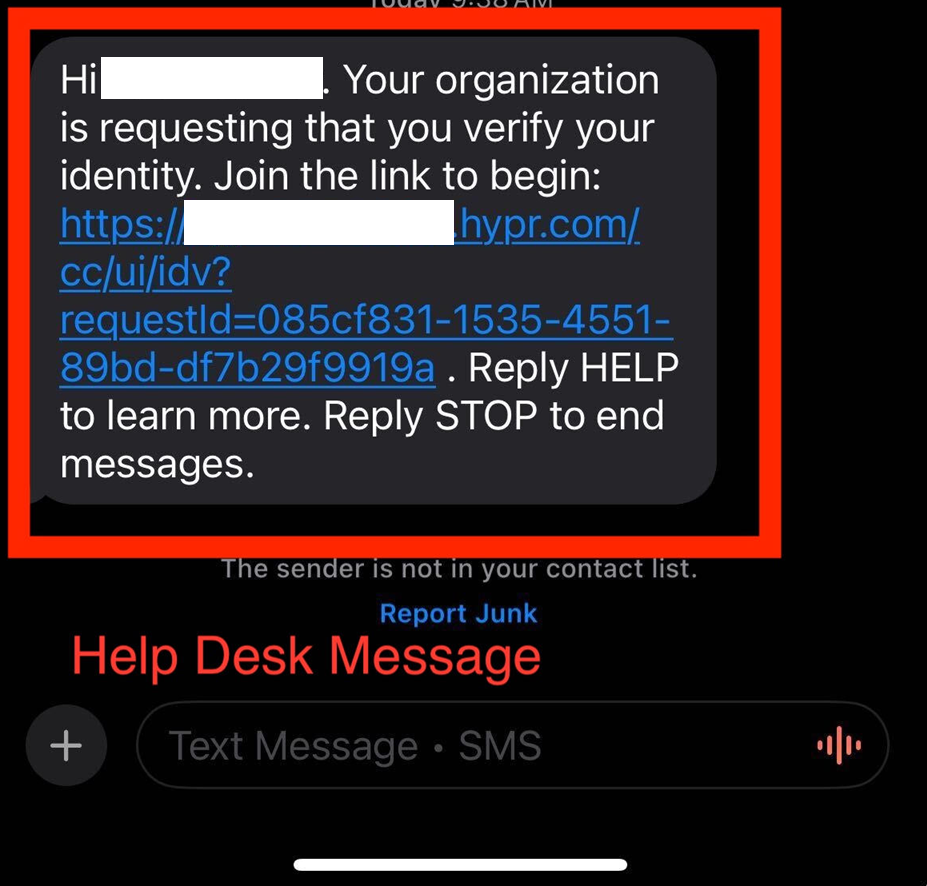
Dynamic placeholders
When SMS Notification Branding is enabled, message templates can use placeholders that are substituted at send time from the tenant's Custom Branding configuration:
{CompanyName}— the Company Name from the Company Identity section of Custom Branding
Example template body: Your verification code from {CompanyName} is: {code}
Per-notification-type enable / disable
Each of the three message categories above can be independently enabled or disabled at the tenant level:
- Affirm SMS Notifications — turns OTP and Manager/Approver SMS on or off
- Affirm Helpdesk SMS Notifications — turns Helpdesk SMS on or off
When a category is disabled, Affirm falls back to the corresponding email channel (or to a non-SMS delivery option configured in the workflow).
Character limits
SMS messages have per-channel character limits. Customized message content that exceeds those limits is truncated by the carrier. Keep message content brief and use the {CompanyName} placeholder rather than spelling out the company name inline if the resulting message would be long.
Related
- Affirm Studio — on-screen content and styling customization
- Email Notification Customization — email-channel counterpart for the same message categories
- Custom Branding — Company Identity values referenced by the SMS placeholders
- Code Customizations → SMS Sending / Verifying — programmatic SMS transport override