Email Notification Customization
HYPR Affirm sends email notifications during verification flows — an approver invitation, an OTP delivery email when the requester picks email instead of SMS, a Helpdesk verification invite, and an outcome confirmation. Affirm uses the cross-product Control Center email-template system, so a custom template authored once applies to every product that sends that notification type.
This page describes what the recipient sees and the Affirm-specific email categories that can be branded. For the configuration walkthrough — template editor, version management, image uploads — see Email Notification Customization (Control Center documentation).
Email notification categories Affirm sends
Affirm sends emails during verification flows for the following scenarios:
- Approver invitations — when a verification flow assigns a human approver (manager, custom email, escalation approver), the approver receives an email invitation with a magic link into the approval surface
- OTP delivery for email-based verification — when the Phone / Email Verification step is configured to deliver the OTP via email rather than SMS
- Helpdesk-initiated verification invites — when a Helpdesk agent initializes a verification flow against a caller, the caller can receive the verification link by email
- Outcome confirmations — depending on the configured outcome, the requester may receive a confirmation email after a successful or failed verification
Each of these is a separate notification type in the Control Center Notification Settings, and each can have a custom template with its own active version.
Example: approver invitation email
An approver invitation email shows the configured logo, color scheme, subject, body copy, and a magic-link CTA into the approval surface.
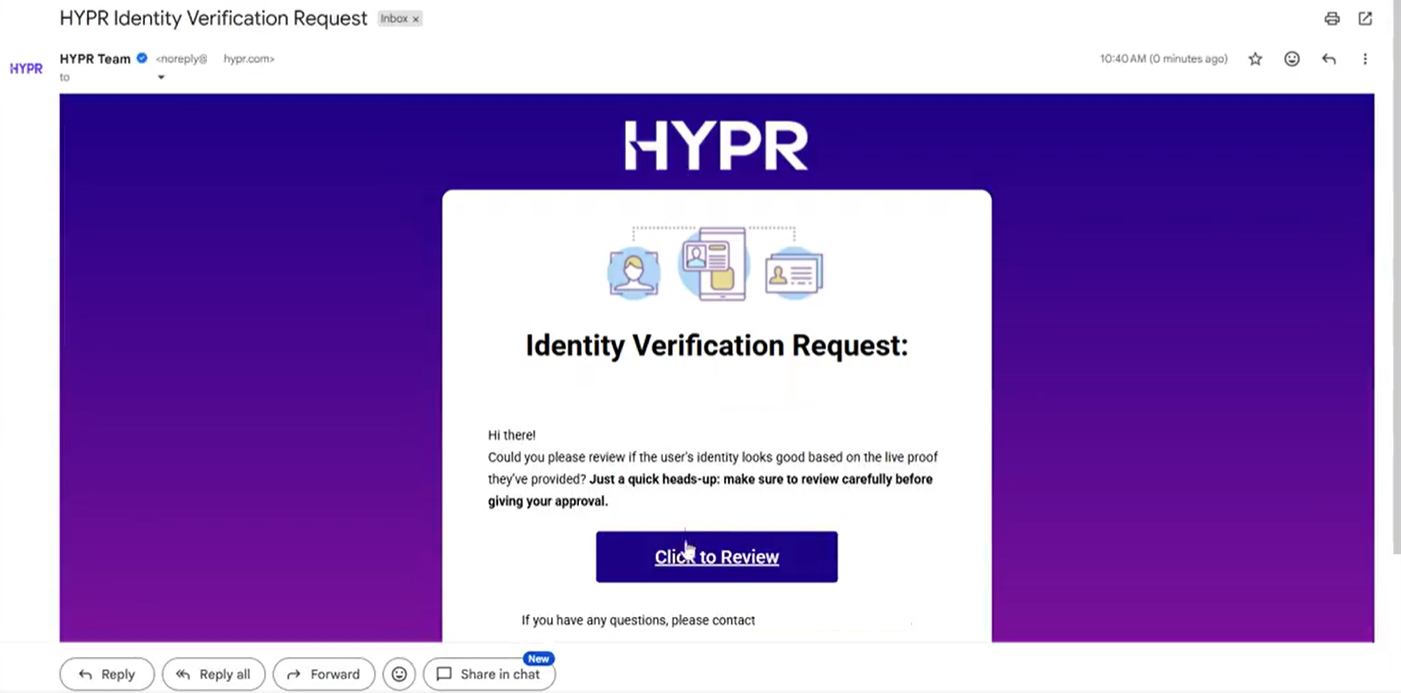
An approver invitation email rendered with the default HYPR template. With a custom template active, the logo, color theme, subject, and body copy are replaced; the magic-link CTA is substituted into the template at send time.
What's branded
When a custom Affirm email template is active, the recipient sees:
- Your organization's logo (uploaded as part of the template)
- Your color theme applied to the email layout
- Your custom subject line and body content (substituted via placeholders)
- Affirm-specific data substituted at send time — requester name, workflow name, magic-link URL, etc.
If no custom template is active, Affirm falls back to the HYPR default template for that notification type.
Affirm-specific placeholders
Affirm templates support these substitution placeholders at send time:
{requesterName}— the requester's name (from directory record){workflowName}— the verification flow name{magicLink}— the time-limited URL to the verification or approval surface
The placeholder reference and the full list of available substitutions lives in the Control Center email customization documentation.
Approver and Helpdesk invitation emails contain time-limited magic-link URLs. Do not log the email body or render the magic link in any non-recipient surface — the link is a one-time credential into the verification surface for the named recipient.
OTP via email vs SMS
For the Phone / Email Verification step, an Affirm requester chooses SMS or email for OTP delivery. If your tenant uses both channels:
- Align the OTP message content across SMS and email so a requester switching between channels sees consistent wording — see SMS Notification Branding for the SMS-side template
- Email allows longer content, so additional context (help-desk contact information, what to do if the code doesn't arrive) is appropriate to include
Related
- SMS Notification Branding — SMS counterpart for the same notification categories
- Custom Branding — Company Identity values referenced by email templates
- Code Customizations → Email — programmatic email transport override (custom SMTP / transactional provider)
- Email Notification Customization (Control Center) — canonical template editor reference