Version: 11.3.0

Unverified Outcome

Unverified Outcome defines what happens when a HYPR Affirm verification fails or is denied. It offers two outcome types. The card reads Define the outcome in case of failed/denied verification journey. A new flow uses Display verification result to the end user.

This outcome applies at the end of the flow, when the approver declines or the automated approval fails. A step whose own Failure Outcome is Deny Verification or Redirect to URL ends the flow at that step instead; see Injectable Outcomes and Retry Limits.

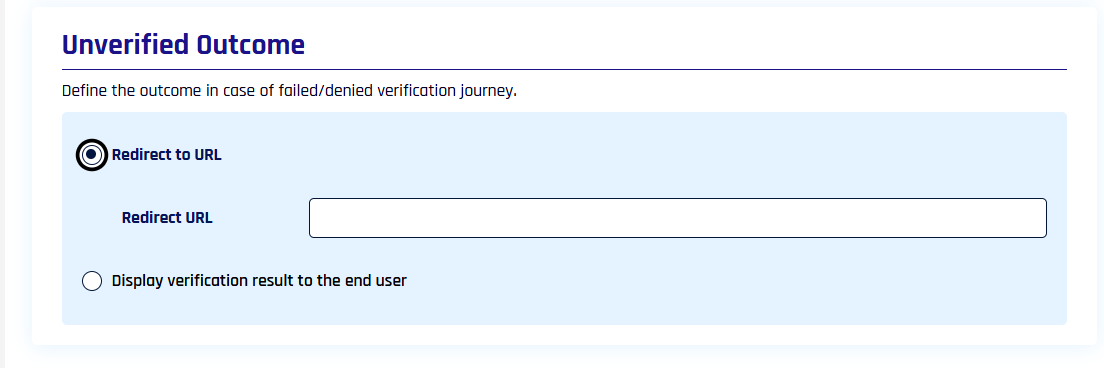
Redirect to URL​

Unverified Outcome set to Redirect to URL with the Redirect URL field

Sends the denied requester to a custom URL, for example a help page or a fallback re-verification path. Type the destination in the Redirect URL field. For a URL that differs per verification, enter DYNAMIC and pass the URL in the failureRedirectUrl field when you create the verification request through the Affirm API.

Display verification result to the end user​

Unverified Outcome set to Display verification result to the end user
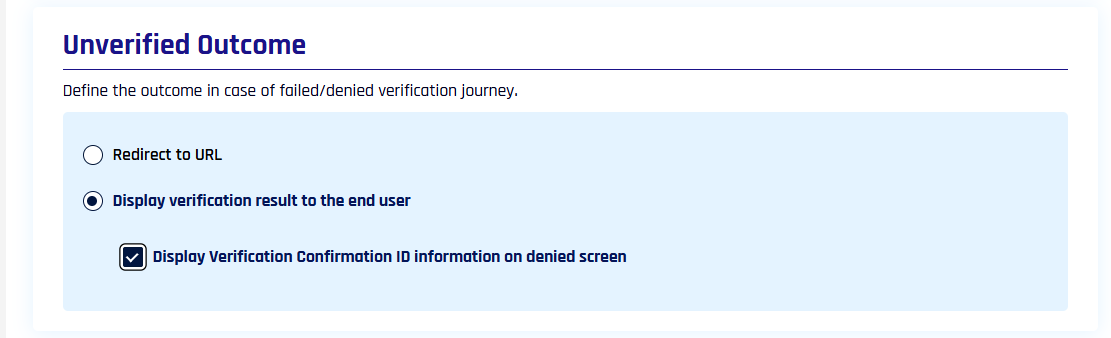
Shows the denial directly to the requester: Identity verification denied with "Your results have been denied." When Helpdesk is enabled for your tenant, you can also select Display Verification Confirmation ID information on denied screen to show the requester a six-digit verification ID that your help desk can use to find the verification. The screen then adds "Please provide the verification ID when contacting your helpdesk." with the ID and a copy button.

When the requester opened the flow from its flow URL and the ID is not on screen, Affirm returns the requester to the start of the verification flow about 10 seconds after showing the denial.