Location
The Location step collects the requester's geolocation and IP address and evaluates them against the configured policy. Disabled by default; enable it for verification flows that need a location signal in the decision.
Configurable controls
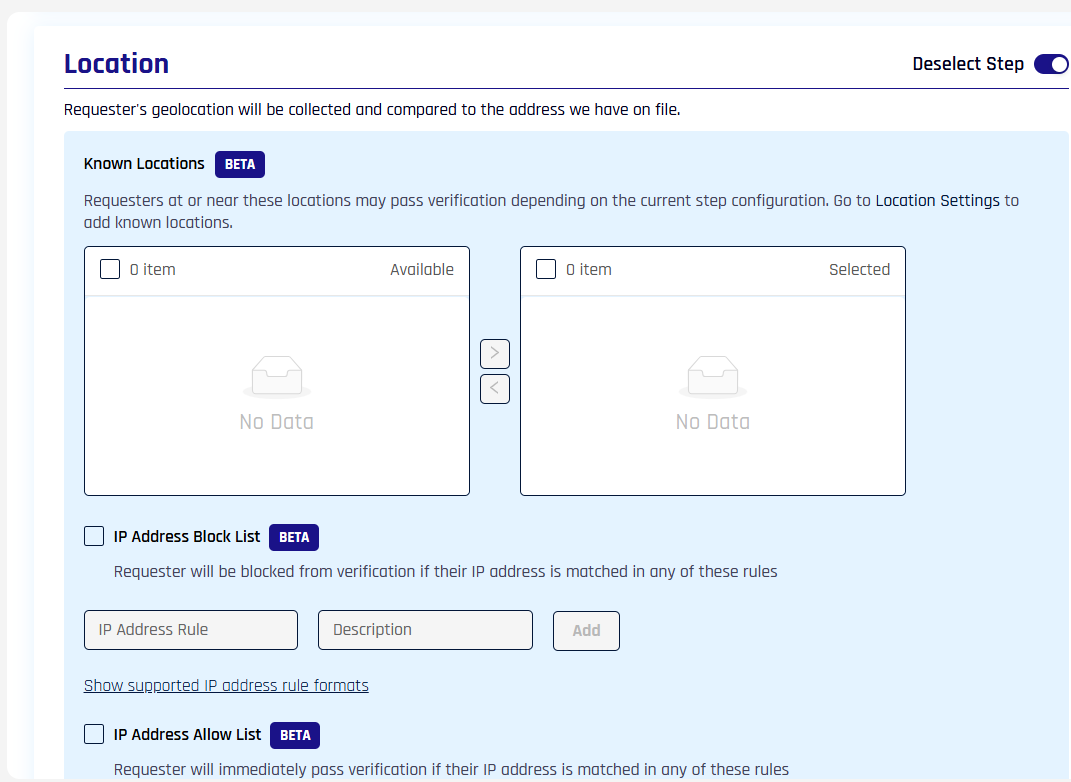
- Known Locations (BETA) — pick from the tenant's Location Settings allowlist; requesters at or near these locations may pass the step depending on the rest of the configuration
- IP Address Block List (BETA) — requesters whose IP matches any rule are blocked from verification
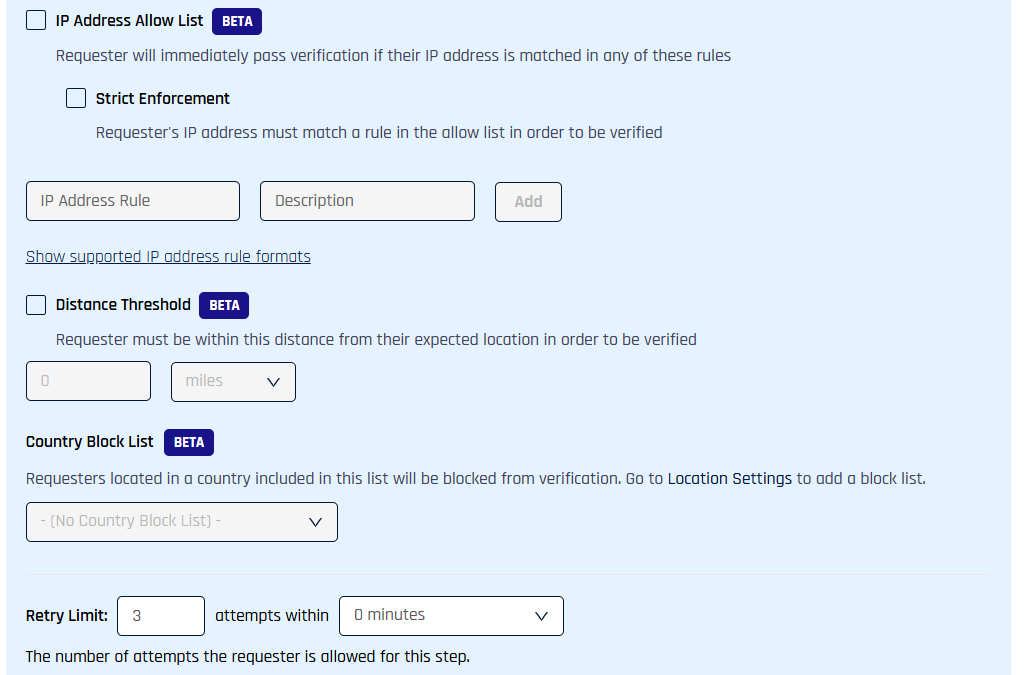
- IP Address Allow List (BETA) — requesters whose IP matches any rule pass the location check; the Strict Enforcement toggle requires a rule match for any verification to pass
- Distance Threshold (BETA) — requester must be within this distance from their expected location, in miles or kilometers
- Country Block List (BETA) — pick a configured block list to apply to this workflow; the lists are managed in Location Settings
- Retry Limit / Failure Outcome — per-step retry attempts within a time window, and what happens after retries are exhausted
Policy evaluation order
When multiple Location controls are configured, they evaluate in this order. The first definitive result wins.
- Country Block List
- IP Address Allow / Block List (Strict Enforcement applies here)
- Known Locations (proximity to whitelisted location)
- Distance Threshold (against requester's expected location from directory)
For full policy semantics including multi-headquarters configuration, see Network and Location Policy.
Required directory attributes
The Location step requires these attributes on the requester's directory record: Street Address, City, State, Postal Code, Country Code. See Identity Provider Prerequisites.
Related
- Network and Location Policy — full policy reference including multi-HQ
- Configure Verification Steps — table of all verification steps
- Injectable Outcomes and Retry Limits — failure-outcome configuration