Directory Image Writeback
Directory Image Writeback sends the images captured during an Affirm verification — selfies, document captures, and cropped face extracts — to a destination you control, without keeping the images in HYPR.
The write itself is performed by a Code Customization script you author, so the destination is whatever that script calls: a directory such as Microsoft Entra ID or Okta, an internal HR or records system, or any HTTP API. HYPR collects the images, hands them to your script, and records the result.
This supports privacy-by-design and data-minimization requirements. HYPR stores no copy of the images once the verification completes; the only record it keeps is a per-user timestamp used to enforce the rotation interval.
Directory Image Writeback is a new feature in HYPR 11.3, and tenant enablement is required — coordinate with your HYPR representative for activation. See Affirm Feature Availability.
How it works
- A requester completes a verification flow that has Directory Image Writeback enabled.
- HYPR gathers every image captured by the flow's Photo ID and Liveness step and Document and Biometric step.
- If a rotation interval is set and this user was written back within that window, HYPR skips the write and records it.
- Otherwise HYPR invokes your
USER_DIRECTORY_IMAGE_WRITEBACKCode Customization, passing the images Base64-encoded. - Your script writes them to the destination and returns an outcome. HYPR records the result in the Audit Trail.
A writeback that fails — because the destination is unreachable, the credentials are rejected, or the script returns a failure — is logged and audited, and the requester's verification result stands. Treat the Audit Trail as the source of truth for whether an image reached its destination.
Writing images out, and reading them in
The Image Directory section of a verification flow holds two independent settings, and it is easy to reach for the wrong one:
| Setting | Direction | Purpose |
|---|---|---|
| Custom Directory Source | Reads | Fetches the user's existing reference image from your directory, to compare a live selfie against. Configured with a USER_DIRECTORY_FOR_IMAGE_REPOSITORY_SOURCE customization and used by the Photo ID and Liveness Capture step. See Liveness-Only (Anchor Image) |
| Custom Writeback Directory | Writes | Sends the images this verification captured out to your directory. The subject of this page |
The two are unrelated: you can run either on its own, or both on the same flow.
Step 1 — Create the writeback customization
Create a Code Customization of type USER_DIRECTORY_IMAGE_WRITEBACK — listed as User Image Writeback Directory in the customization type list. Everything about the destination — its URL, its authentication, and the attribute the image lands in — lives in this script and its attributes. See Create a Customization.
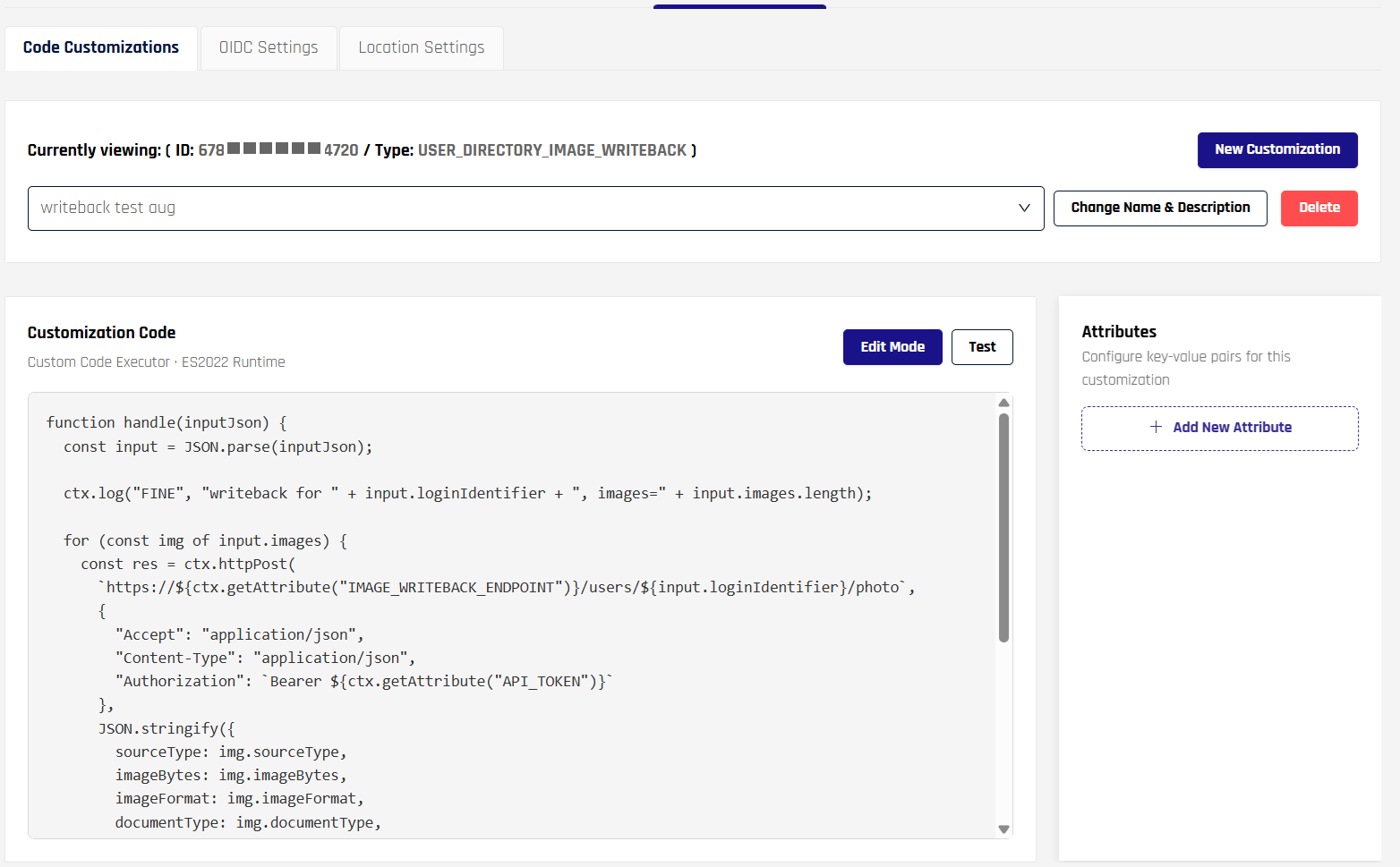
A saved writeback customization. The code runs read-only until you select Edit Mode; Test runs it against input you supply. Attributes are managed in the panel on the right.
Step 2 — Enable it on the verification flow
A registered customization does nothing until a flow points at it. Write and test the script first — the sections below cover what it receives, the attributes it reads, and how to test it — then come back here to switch it on:
- Open Verification Flows and select the flow.
- In the left navigation pane, expand Advanced Customization and select Image Directory.
- Under Custom Writeback Directory, select your customization.
- Set the Writeback Rotation Interval, then save the flow.
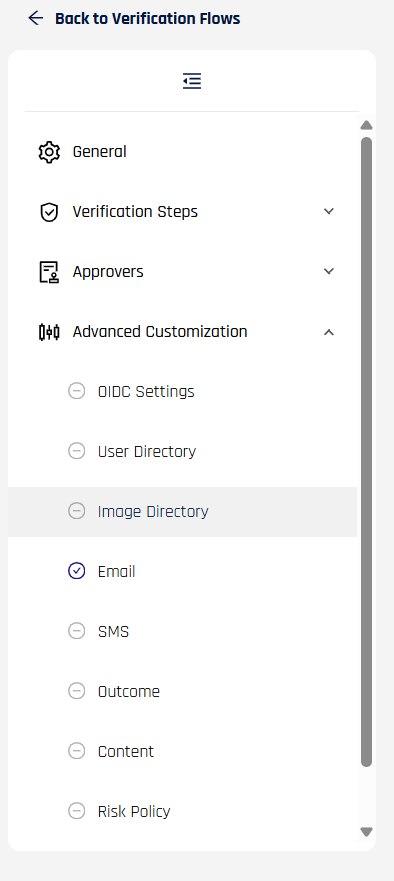
Left navigation pane of a verification flow, with Image Directory selected under Advanced Customization.
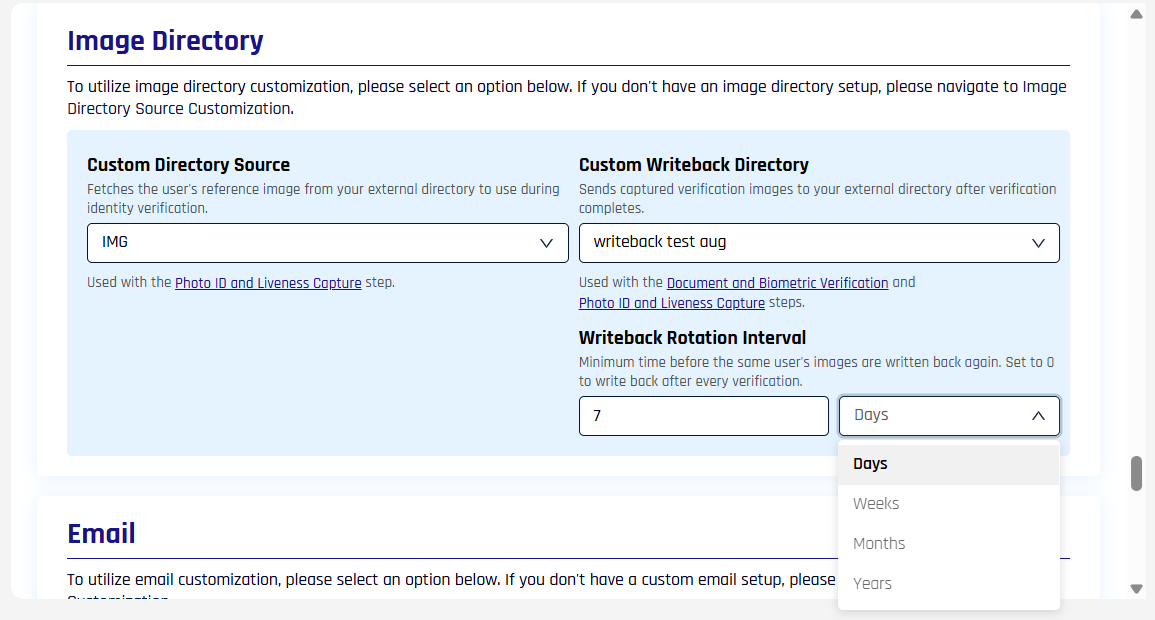
The Image Directory section. Writeback draws on both the Document and Biometric Verification step and the Photo ID and Liveness Capture step, so either one produces images to send.
Custom Directory Source beside it is the reading half, and writeback does not need it. If you want it too and the drop-down is empty, create a User Image Directory Source customization first — see Configure a custom image repository.
Writeback Rotation Interval
The rotation interval is the minimum time before the same user's images are written again. Enter a value and choose its unit — days, weeks, months, or years.
Set it to 0 to write after every verification. With any higher value, HYPR compares the last successful writeback for that user on that flow and skips the write while the window is open, which suits a flow that users re-verify often but whose stored image only needs refreshing occasionally.
Retry behavior is set by HYPR, not per flow: a failed attempt is retried up to three times with a short pause between attempts, and a retry is triggered both by a thrown error and by a script that returns FAILURE.
What your script receives
The script's handle function is called once per verification with this input:
| Field | Type | Description |
|---|---|---|
| loginIdentifier | String | The requester's login identifier |
| workflowId | String | The verification instance that produced the images |
| images | Array | One entry per captured image, described below |
Each entry in images carries:
| Field | Type | Description |
|---|---|---|
| sourceType | String | Which step and capture the image came from — see the values below |
| imageBytes | String | The image, Base64-encoded |
| imageFormat | String | Image format, for example jpeg or png |
| documentType | String | The document type reported for a document capture, for example passport or driving_licence. Omitted for selfies |
| isCropped | Boolean | true for a cropped face extract, false for a full-frame capture |
sourceType is one of:
| Value | Produced by |
|---|---|
PHOTO_ID_AND_LIVENESS_SELFIE | Photo ID and Liveness — the selfie |
PHOTO_ID_AND_LIVENESS_DOCUMENT | Photo ID and Liveness — the document |
DOCUMENT_AND_BIOMETRICS_SELFIE | Document and Biometric — the selfie |
DOCUMENT_AND_BIOMETRICS_DOCUMENT_FRONT | Document and Biometric — primary document, front |
DOCUMENT_AND_BIOMETRICS_DOCUMENT_BACK | Document and Biometric — primary document, back |
DOCUMENT_AND_BIOMETRICS_DOCUMENT_SECONDARY_FRONT | Document and Biometric — second document, front |
DOCUMENT_AND_BIOMETRICS_DOCUMENT_SECONDARY_BACK | Document and Biometric — second document, back |
Return { "outcome": "SUCCESS" } when every image has been written, or { "outcome": "FAILURE" } to have the attempt retried. Returning { "error": "…" } is also treated as a failure and puts your message in the audit record.
Attributes
Keep the destination's address and credentials in customization attributes rather than in the script body, so the same script can move between environments unchanged. You choose the attribute names and read them with ctx.getAttribute().
The example below uses two:
| Attribute | Example value | Purpose |
|---|---|---|
IMAGE_WRITEBACK_ENDPOINT | directory.example.com | Host of the API that receives the images |
API_TOKEN | (the token issued to your integration) | Bearer token presented on each request |
Add whatever else your destination needs — a tenant identifier, an API version, the name of the target attribute — as further attributes. Changing an attribute takes effect on the next verification, with no edit to the script.
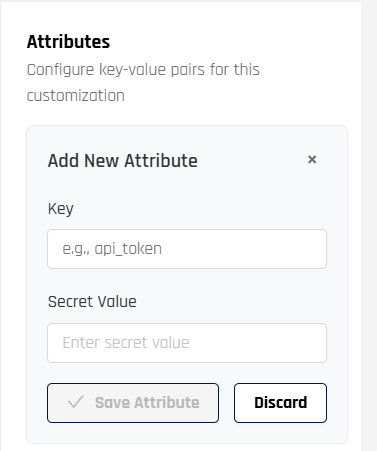
Adding an attribute. Key is the string you pass to ctx.getAttribute(); the value is entered as a secret.
Saved attributes are listed with their values masked, so record any credential somewhere you can retrieve it. To change one, replace the value rather than reading it back.
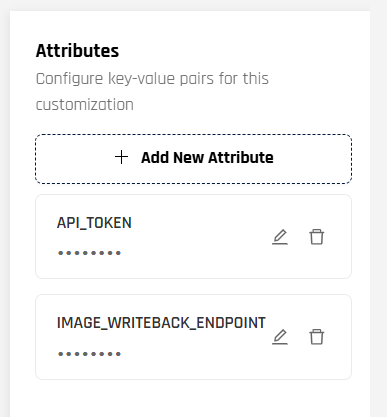
The two attributes this example needs, saved and masked.
Permissions
The credential in API_TOKEN — or whatever your script authenticates with — has to be allowed to write the image attribute on another user's record, because the script acts on the requester's behalf rather than as the requester. When you provision it:
- Grant only the write scope the destination requires for that one attribute. Writeback never reads user records, so read access beyond what the write call needs is unnecessary.
- Scope the credential to the population that goes through the flow, if your destination supports scoping.
- Prefer a credential you can rotate independently of other integrations, and rotate it by updating the attribute.
- Confirm your destination accepts the image size and format your flow produces before enabling writeback on a live flow.
For the exact permission or scope name, follow your directory vendor's documentation for writing a user's photo or a binary user attribute.
Example
A minimal writeback that posts each image to an endpoint and fails the attempt on any non-success response:
function handle(inputJson) {
  const input = JSON.parse(inputJson);

  ctx.log("FINE", "writeback for " + input.loginIdentifier + ", images=" + input.images.length);

  for (const img of input.images) {
    const res = ctx.httpPost(
      `https://${ctx.getAttribute("IMAGE_WRITEBACK_ENDPOINT")}/users/${input.loginIdentifier}/photo`,
      {
        "Accept": "application/json",
        "Content-Type": "application/json",
        "Authorization": `Bearer ${ctx.getAttribute("API_TOKEN")}`
      },
      JSON.stringify({
        sourceType: img.sourceType,
        imageBytes: img.imageBytes,
        imageFormat: img.imageFormat,
        documentType: img.documentType,
        isCropped: img.isCropped
      })
    );

    const response = JSON.parse(res);
    if (response.statusCode < 200 || response.statusCode >= 300) {
      return { outcome: "FAILURE" };
    }
  }

  return { outcome: "SUCCESS" };
}

handle(ctx.getInputAsJson());
The request body and headers depend on the API you target; adapt them to your destination. For the ctx object and the runtime it executes in, see Writing Affirm Code Customizations.
Before you enable it on a live flow
Confirm the flow captures images. Writeback sends what the Photo ID and Liveness step and the Document and Biometric step produce. A flow with neither step has nothing to send, and each verification records a failure giving that reason.
Exercise the script in Test mode. Test mode surfaces errors that a live run only writes to the logs, and it confirms every attribute your code reads is present and spelled the way the script expects. See Edit and test a customization.
Send one real verification through first. Run a single verification against the flow and confirm both the destination record and the AFFIRM_WRITEBACK_SUCCESS entry in the Audit Trail before enabling writeback for everyone.
Troubleshooting
Each outcome below appears in the Audit Trail with its reason:
| Entry | What it means | What to do |
|---|---|---|
AFFIRM_WRITEBACK_SKIPPED — within rotation window | This user's images were written within the rotation interval | Expected. Shorten the rotation interval if you need writes more often |
AFFIRM_WRITEBACK_FAILURE — no images available | The verification produced no images | Confirm the flow includes a capture step and that the requester completed it |
AFFIRM_WRITEBACK_FAILURE — missing writeback image | One expected capture could not be retrieved. The remaining images are still sent | Check that the step it came from completed |
AFFIRM_WRITEBACK_FAILURE — code customization returned FAILURE | Your script returned FAILURE, typically after a non-success response from the destination | Check the destination's response, the token in your attributes, and the write permission on the target attribute |
AFFIRM_WRITEBACK_FAILURE — with an error message | The script threw | Reproduce it in Test mode; add ctx.log() calls around the failing call |
Because a writeback never changes the verification outcome, none of these are visible to the requester or the approver — the Audit Trail is where you see them.
Approver-visible face comparison
When Directory Image Writeback is configured, the face-from-video extracted during the requester's liveness capture becomes visible to the approver in the Scorecard's Photo ID and Liveness section — side by side with the face extracted from the requester's submitted document.
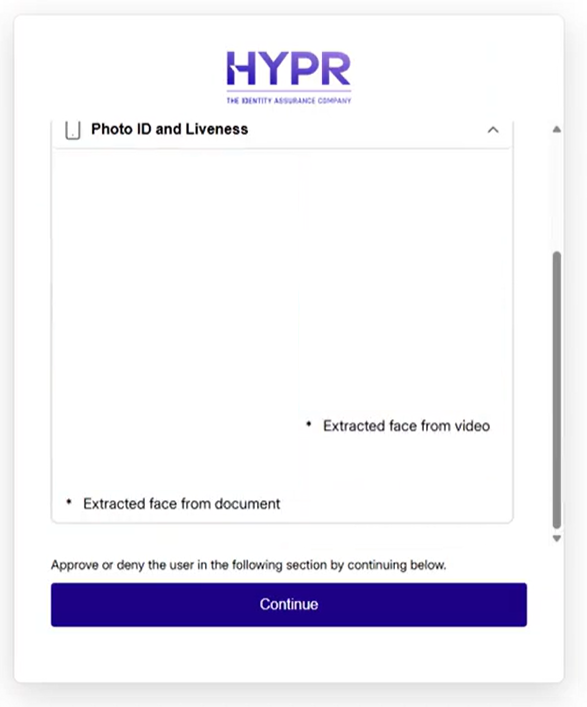
Photo ID and Liveness panel showing the face extracted from the document (left) and the face extracted from the liveness video (right). The face-from-video render depends on Directory Image Writeback being active for the workflow.
Without Directory Image Writeback, the document face remains visible but the face-from-video does not render in the Scorecard. See What the Approver Sees for the full Scorecard flow.
Audit and observability
Every writeback decision reaches the Audit Trail:
| Event | Recorded when |
|---|---|
AFFIRM_WRITEBACK_TRIGGERED | HYPR is about to hand images to the script; lists the source types being sent |
AFFIRM_WRITEBACK_SUCCESS | The script reported success |
AFFIRM_WRITEBACK_SKIPPED | The write was skipped, with the reason — for example, the user is inside the rotation window |
AFFIRM_WRITEBACK_FAILURE | An attempt failed, with the reason: the script returned a failure, threw an error, an expected image was missing, or no images were available |
A verification with no images available to send records a failure with that reason rather than a success. See Audit Trail for the canonical event reference.
Use cases
- Employee onboarding — capture identity documents and a selfie during onboarding verification and write them to the employee's record in your directory, with no HYPR retention
- Periodic re-verification with a capped image refresh — re-verify quarterly while refreshing the stored image annually, using the rotation interval
- Privacy-regulated jurisdictions — combine with short-retention settings to minimize how long images exist anywhere
Related
- Affirm Customizations → Image Writeback — the Code Customization contract
- Liveness-Only (Anchor Image) — the reading half of the Image Directory section, for comparing a selfie against a stored reference image
- Writing Affirm Code Customizations — the
ctxobject, attributes, and testing - Audit Trail — writeback lifecycle events
- Data Residency and Retention — short retention complements writeback for jurisdictional compliance