Audit Trail
HYPR Affirm offers an Audit Trail tab for ease of access. It reflects the Audit Trail experience across HYPR, which is described fully here.
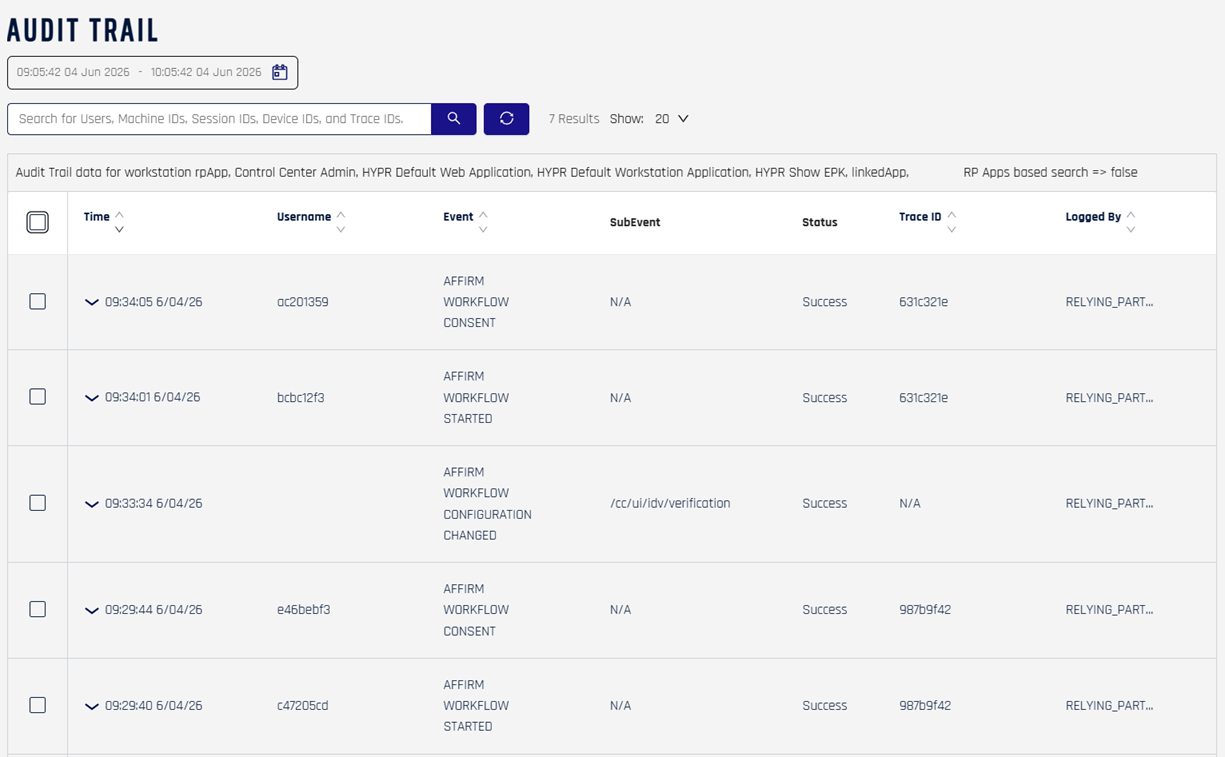
The Audit Trail view in HYPR 11.3 showing per-workflow lifecycle events and Affirm application configuration changes.
Audit Trail table columns
| Column | Description |
|---|---|
| Time | Timestamp of the event |
| Username | The actor who caused the event — either an administrator's identifier or, for per-verification events, the requester's identifier |
| Event | The event identifier (AFFIRM_WORKFLOW_*, AFFIRM_APPLICATION_*, AFFIRM_WRITEBACK_*, etc.) |
| SubEvent | Additional event detail or path context, where applicable |
| Status | Event outcome — typically Success or an error indicator |
| Trace ID | Correlation identifier that ties this event to related events and to API responses |
| Logged By | The component that recorded the event (for Affirm events, typically RELYING_PARTY) |
The page header lists the set of Relying Party applications whose audit data is being shown. Use the date filter and search box (Users, Machine IDs, Session IDs, Device IDs, Trace IDs) to narrow the result set.
What's captured
The Audit Trail records administrative and lifecycle events covering both Affirm application configuration and per-verification activity. Categories include:
- Workflow lifecycle events —
AFFIRM_WORKFLOW_STARTED,AFFIRM_WORKFLOW_CONSENT,AFFIRM_WORKFLOW_CONFIGURATION_CHANGED, and the workflow-completion events - Integration assignments — adding, removing, or updating the Okta or Entra ID integration backing the tenant's Affirm operations
- Customization registrations — adding, modifying, or removing Code Customization scripts (user directory, SMS, email, outcome, image writeback)
- OIDC setting changes — per-workflow or per-customization OIDC overrides
- Tenant-level enablement events — when HYPR enables or disables an Affirm feature on the tenant
- Writeback events (
AFFIRM_WRITEBACK_*) — directory image writeback triggered, succeeded, skipped, failed, or exhausted retries - Escalation and policy decisions — events emitted when an escalation policy fires or a risk signal alters flow behavior
Each entry captures the timestamp, the actor (administrator account or HYPR system process), the operation, and a before/after snapshot or the changed identifier.
How it differs from the Activity Log
| Surface | Scope | Primary consumers |
|---|---|---|
| Audit Trail (this page) | Per-event stream — every administrative change and per-workflow lifecycle event | Tenant administrators, security, compliance |
| Activity Log | Per-verification requester outcomes — who attempted, which steps passed, the issued outcome | Support, audit, end-of-flow review |
Both surfaces correlate by Verification Flow ID for events tied to a specific verification, and by timestamp + actor for configuration-level changes.
Audit Trail layout in releases before 11.3
For reference, an older Audit Trail snapshot — same column structure, but with the earlier set of AFFIRM_APPLICATION_CONFIGURATION_CHANGED events that the 11.3 release split into more granular workflow-lifecycle events (AFFIRM_WORKFLOW_STARTED, AFFIRM_WORKFLOW_CONSENT, etc.):
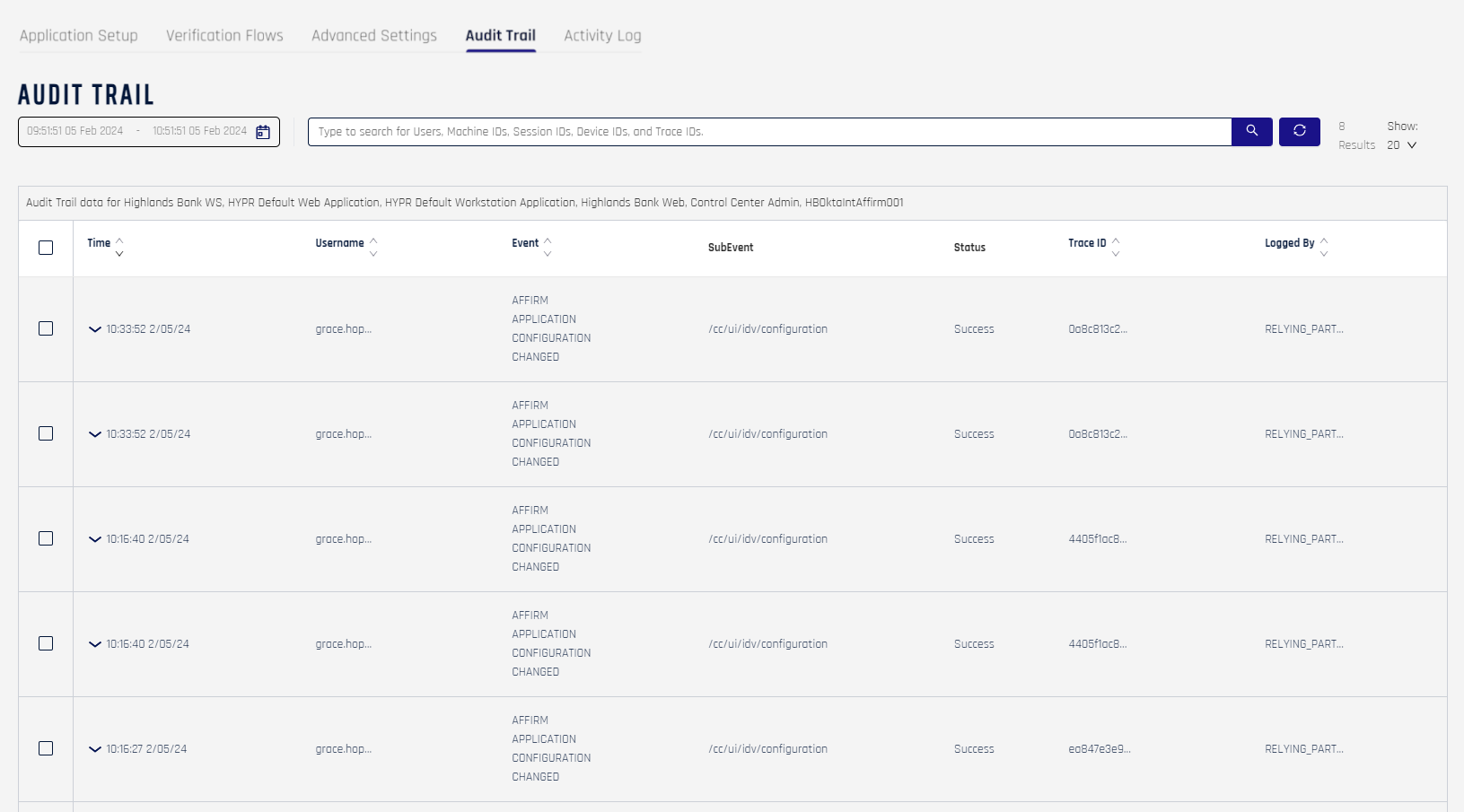
The column structure (Time / Username / Event / SubEvent / Status / Trace ID / Logged By) is stable across 11.3 and earlier releases; the event taxonomy on the right-hand side has expanded as new workflow lifecycle events were added.
Related
- Activity Log — verification attempt records, decisions, and per-step details
- HYPR Audit Trail — global Audit Trail reference across HYPR
- Observability and Verification Flow ID — how the audit and activity surfaces correlate