Web to Workstation - Conditional Enrollment
Facts
Control which users complete workstation registration within a single tenant. Support different user groups with the same web Relying Party.
Use Case: Organizations with employees requiring full workstation access and agents/contractors needing web-only access.
Key Features:
- Selective workstation registration via feature flag
- Single tenant, multiple access patterns
- Shared web Relying Party
Prerequisites
- Web RP application configured for all users
- Workstation RP application configured for full access users
- Magic link generation configured
- Full Access Users: Employees with workstation access
- Web-Only Users: Agents or contractors with web access only
Both groups use the same web Relying Party.
Configuration
Feature Flags
Ask your HYPR representative to enable the Conditional Workstation Enrollment capability to access conditional enrollment options.
Magic Link Configuration
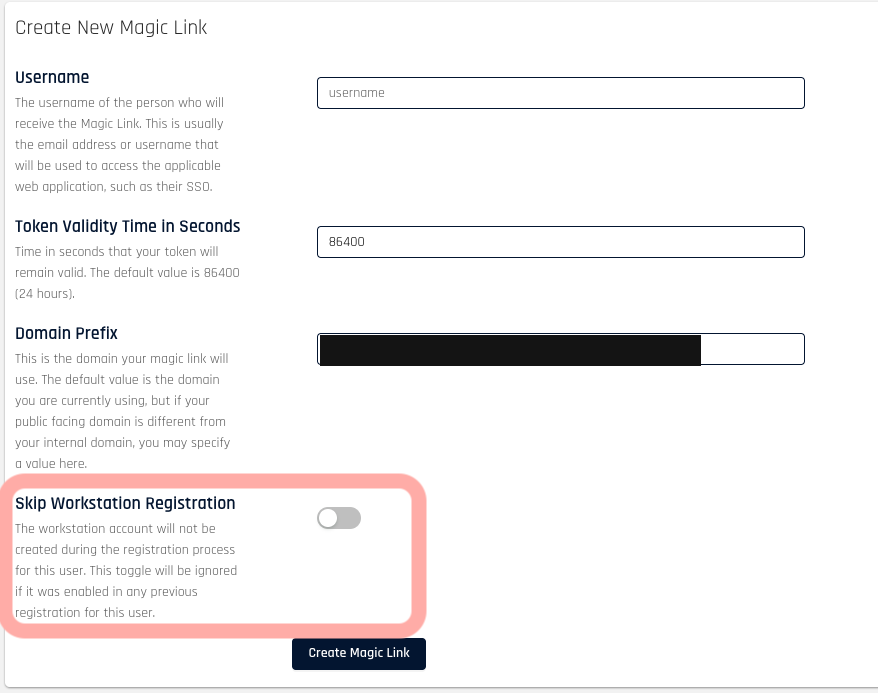
The skipWsRegistration toggle controls workstation registration per magic link.
Default: Disabled (performs full Single Registration)
To Skip Workstation Registration:
- Access magic link creation screen
- Enable Skip Workstation Registration toggle
- Generate magic link
User Journey:
- User receives magic link
- User completes web registration
- If
skipWsRegistrationdisabled: Proceeds to workstation registration - If
skipWsRegistrationenabled: Enrollment complete
Mobile Behavior
When skipWsRegistration is true, the mobile app skips workstation operations:
- No manual certificate request option
- No status endpoint calls
- No certificate generation
- No workstation data in Enrollment Service
Mobile app does not generate workstation certificates, preventing access to workstation resources.