Alerts and Containment
When a guardrail holds or stops a call, two things need to happen: the right people need to hear about it without being buried, and someone needs to be able to act on it immediately. This page covers both — the alert that goes out, the triage queue the SOC works from, the one-tap containment actions, and the roles that come with them.
Guardrail Alerts
Every guardrail enforcement — a held call, a stopped call, a critical detection — is recorded as an enforcement event that reaches your audit record and, where you connect one, your SIEM feed. A matching event also notifies a person, by email, so a held or stopped action does not depend on someone happening to watch a dashboard.
Two mechanisms keep that notification useful rather than noisy:
- Deduplication. Repeated enforcements that are really the same situation — the same agent, the same session, the same kind of enforcement, the same destination — collapse into one alert for a configurable window (30 minutes by default). You are told once, not forty times.
- A daily budget per supervisor. There is a cap on how many alert emails any one supervisor receives in a day (three by default), so a single misbehaving session cannot flood an inbox. The most severe detections are allowed through the budget, but are still deduplicated.
When denials repeat on one session — several in a row, or several within a few minutes — AgentPass raises the alert's severity and can automatically pause the session so a responder is looking at a contained session rather than a running one.
The Triage Queue
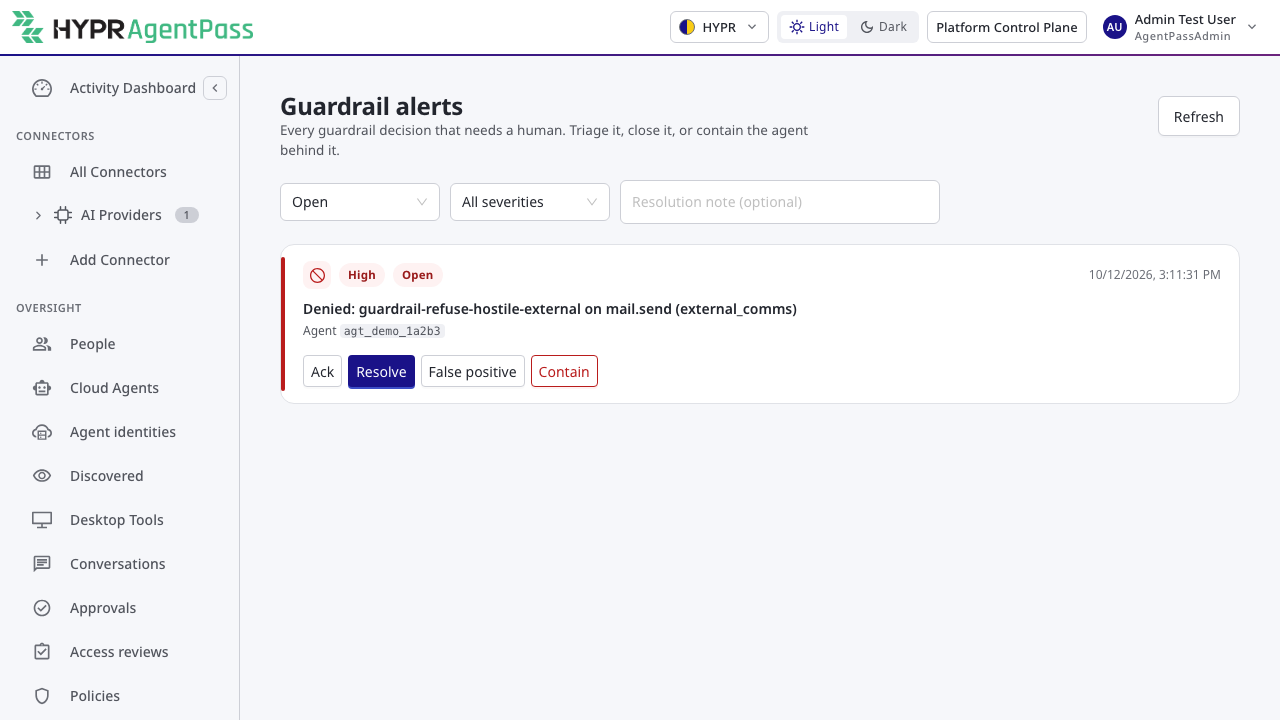
Security operations work guardrail alerts from Guardrails › Alerts in the console. Each alert carries the evidence behind the enforcement — what the session read, how sensitive it was, and where it was headed — and a status you move as you work it, so a queue of alerts can be triaged, assigned, and closed like any other security workflow.
Containing a Session
From an alert — or from a session in the session view — a responder can contain a session in one action:
| Action | Effect |
|---|---|
| Pause | The session can no longer reach a sink — it cannot send, write, or execute — but reads still work, so the agent can keep explaining itself while a person investigates. A paused session shows who paused it. |
| End | The session is stopped. |
| Disable the agent | The agent itself is disabled, which stops its current work and refuses its next call on every gateway node. See stopping an agent for how disablement behaves. |
Pausing is the light-touch option — it removes the danger (the way out) without cutting the investigation short. Ending and disabling are the heavier responses when you already know enough to stop the work.
Roles for Security Operations
Input guardrails ship two seeded roles so a security-operations or audit person has exactly the access their job needs, without being an administrator.
| Role | Can | Cannot |
|---|---|---|
| Security Analyst | View the guardrail surfaces, triage alerts, contain sessions (pause / end / disable), and read sessions, approvals, and the request log | Rewrite policies or edit settings |
| Auditor | Read every guardrail surface and export guardrail evidence | Change anything |
Both roles are available to assign from the console the same way as any other role — see Roles and Permissions. Administrators hold everything these roles do. The separate Model Governance Owner role governs judges and is covered with them.
Evidence Export
Guardrail activity can be exported as an evidence package for an auditor or a governance review, organized around the injection-defense control set so a reviewer can tie what happened back to the controls it exercised. The Auditor role is scoped to be able to produce this export.
Settings
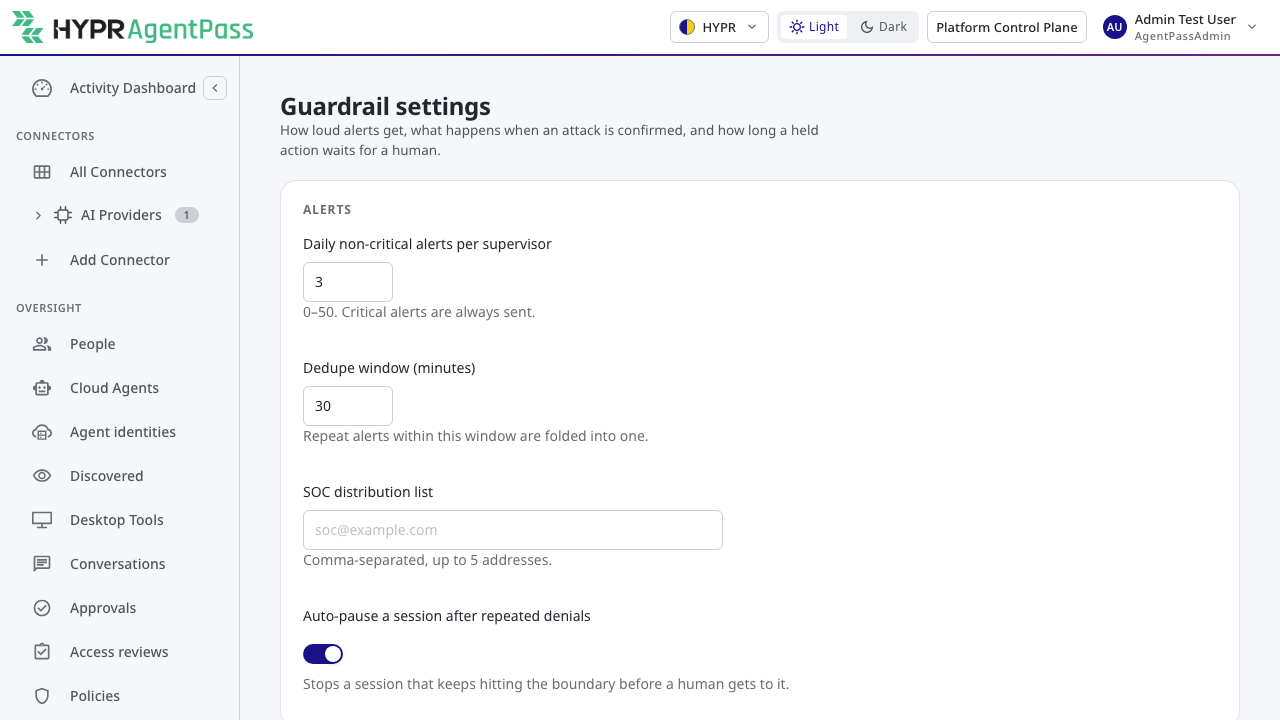
Alert, containment, and approval behavior is configured under Gateway Settings › Guardrails:
| Setting | What it controls | Default |
|---|---|---|
| Daily alert budget per supervisor | How many alert emails one supervisor receives per day | 3 |
| Deduplication window | How long repeated enforcements of the same situation collapse into one alert | 30 minutes |
| Auto-pause on repeated denials | Whether a session that is denied repeatedly is paused automatically | On |
The guardrail settings — like the data classification settings — are managed on their own page and cannot be written through the generic settings API, so every change to them is intentional and attributable.
Related
- Input Guardrails Overview
- The Rule-of-Two Breaker — what produces most guardrail alerts
- Posture and History — the same activity trended over time
- Data Management — how long guardrail records are kept