Example API
Use the Access Token
An Access Token must be supplied on every request to a HYPR API HTTP endpoint. The request will fail if the token is missing or does not have permissions for the requested operation. The request will also fail if the token has expired, has been revoked, or is invalid.
Access Tokens must be sent in the Authorization header using the Bearer schema.
Here is an example cURL command to pass Access Token 7c839b65-9d28-4037-afc6-993fc5595cbf:
curl https://staging1.gethypr.com/cc/api/stats/authenticator/logins \
  -H 'Authorization: Bearer 7c839b65-9d28-4037-afc6-993fc5595cbf'
Access Tokens in HYPR SDK for Java
The following HYPR SDK for Java commands show the usage of Access Tokens.
//Registration
java -jar java-client-<version>.jar REGISTER https://<your_hypr_server_url>.com <api_access_token> highlandsBank username

//Authentication
java -jar java-client-<version>.jar AUTHENTICATE https://<your_hypr_server_url>.com <api_access_token> highlandsBank username

//Transaction
java -jar java-client-<version>.jar TRANSACTION https://<your_hypr_server_url>.com <api_access_token> highlandsBank username actionId transactionType transactionText
Enable QR Code Authentication
The QR Code authentication feature must be enabled both for the tenant globally and for the Relying Party Application (rpApp) configured for AD FS.
Enable QR Code Globally for the Tenant
If you do not wish to enable QR codes using the HYPR tenant management tools, you can toggle the feature across the server (enabling it in individual rpApp Login Settings) with the following cURL command:
curl --location --request POST '<Host>/rp/api/versioned/features/toggle/QR_AUTHENTICATION' \
--header 'Connection: keep-alive' \
--header 'Cache-Control: max-age=0' \
--header 'User-Agent: Mozilla/5.0 (Macintosh; Intel Mac OS X 10_15_2) AppleWebKit/537.36 (KHTML, like Gecko) Chrome/79.0.3945.130 Safari/537.36' \
--header 'Content-Type: application/json' \
--header 'Accept: */*' \
--header 'Sec-Fetch-Site: same-origin' \
--header 'Sec-Fetch-Mode: cors' \
--header 'Accept-Encoding: gzip, deflate, br' \
--header 'Accept-Language: en-US,en;q=0.9' \
--header 'Authorization: Bearer <AdminAPIToken>'
Enable QR Code for the Relying Party Application
The following cURL command can toggle QR code-based authentication for individual Applications:
curl --location --request PUT '<Host>/cc/api/appconfig/devicemanager' \
--header 'Connection: keep-alive' \
--header 'Cache-Control: max-age=0' \
--header 'User-Agent: Mozilla/5.0 (Macintosh; Intel Mac OS X 10_15_2) AppleWebKit/537.36 (KHTML, like Gecko) Chrome/79.0.3945.130 Safari/537.36' \
--header 'Content-Type: application/json' \
--header 'Accept: */*' \
--header 'Sec-Fetch-Site: same-origin' \
--header 'Sec-Fetch-Mode: cors' \
--header 'Accept-Encoding: gzip, deflate, br' \
--header 'Accept-Language: en-US,en;q=0.9' \
--header 'Authorization: Bearer <rpAppAPIToken>' \
--data '{
    "baseURL": "<Host>",
    "rpAppId": "<rpAppId>"
}'
Registration
Navigate to the folder where the HYPR SDK for Java package is downloaded (or placed). To register an email address use the following command:
java -jar java-client-<version>.jar REGISTER https://<your_hypr_server_url>.com <api_access_token> highlandsBank username
For example: java -jar java-client-3.8.0-20200117.161944-11.jar REGISTER https://highlandsbank.gethypr.com <api_access_token> highlandsBank username
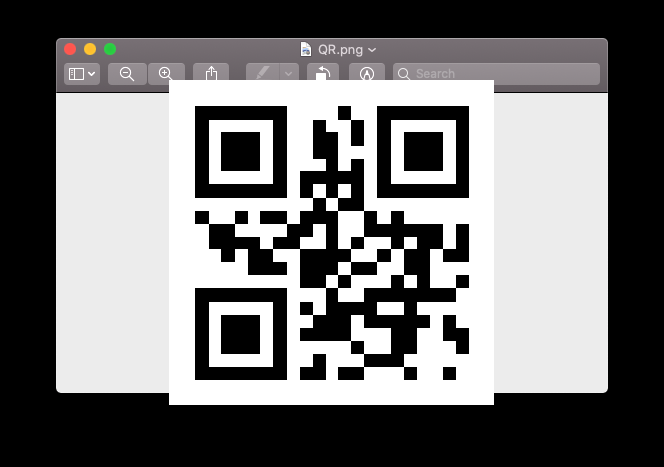
A QR code will be generated in your HOME directory.
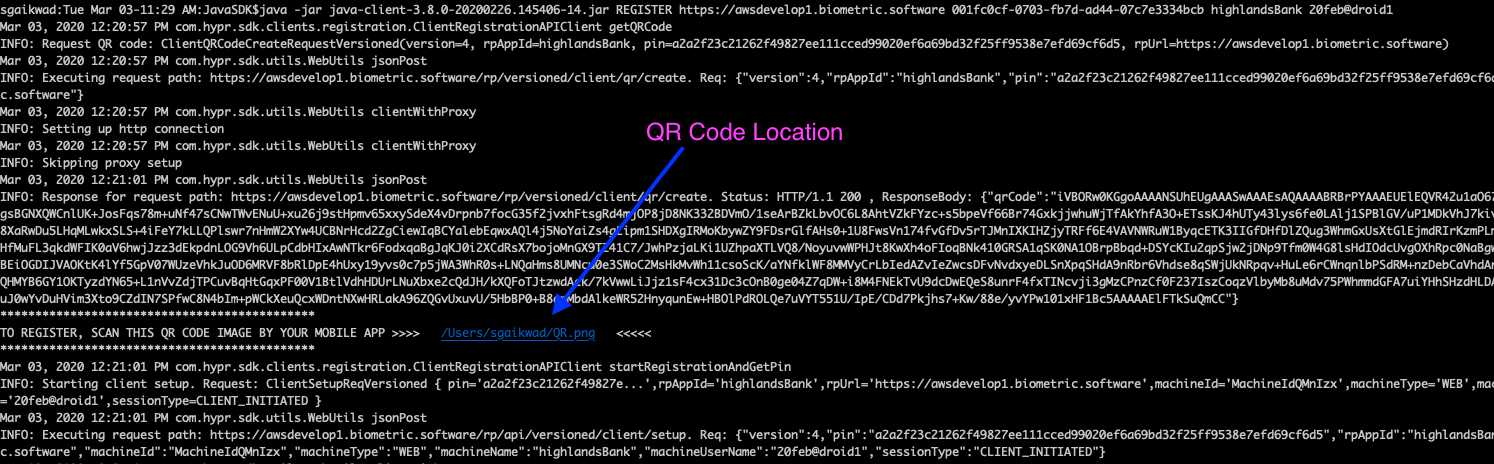
QR code file (QR.png):
Authentication
To authenticate the registered email address:
java -jar java-client-<version>.jar AUTHENTICATE https://<your_hypr_server_url>.com <api_access_token> highlandsBank username
For example: java -jar java-client-3.8.0-20200117.161944-11.jar AUTHENTICATE https://highlandsbank.gethypr.com <api_access_token> highlandsBank username
A push notification will be generated. After successful FIDO operations, the user will be authenticated.
Transaction
To post a transaction on the registered email address:
java -jar java-client-<version>.jar TRANSACTION https://<your_hypr_server_url>.com <api_access_token> highlandsBank username actionId transactionType transactionText
For example: java -jar java-client-3.8.0-20200117.161944-11.jar TRANSACTION https://highlandsbank.gethypr.com <api_access_token> highlandsBank username completeMediumTransaction Wire $500
actionId: Policy name
transactionType and transactionText: Enter custom text