UserAgent UI Customization
User Agent Strings
Currently there are five strings available for customization at HYPRUserAgent. They can be set via the userAgentStrings property of the HYPRViewConfiguration class.
| Property | Description |
|---|---|
registerRemoteDeviceAlertTitle | Text will be displayed as a screen title. |
registerRemoteDeviceAlertTextFieldPlaceholder | Text will be displayed as a placeholder value. |
registerRemoteDeviceAlertCancelButtonTitle | Cancellation button text. |
registerRemoteDeviceAlertSubmitButtonTitle | Confirmation button text. |
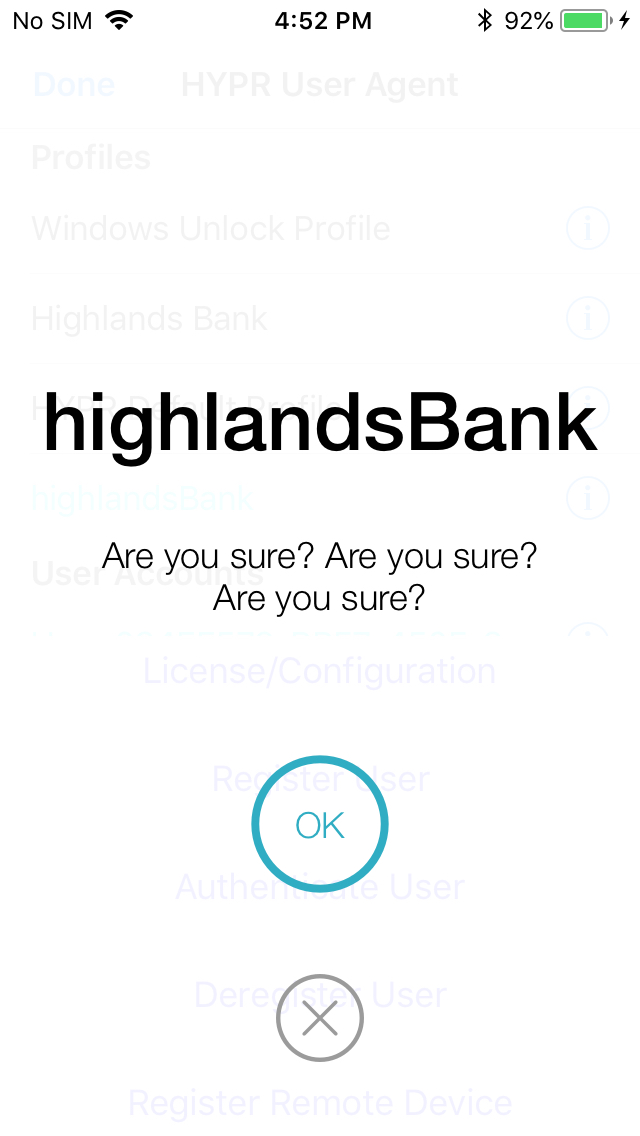
OOBAuthenticationScreenConfirmationMessage | Confirmation message displayed to the user when authentication is initiated. |
Example
HYPRUserAgentStrings* strings = [HYPRViewConfiguration userAgentStrings];

    strings.registerRemoteDeviceAlertTitle = @"Register remote device";
    strings.registerRemoteDeviceAlertTextFieldPlaceholder = @"Place for PIN";
    strings.registerRemoteDeviceAlertCancelButtonTitle = @"Cancel";
    strings.registerRemoteDeviceAlertSubmitButtonTitle = @"Go!";
    strings.OOBAuthenticationScreenConfirmationMessage = @"Are you sure? Are you sure? Are you sure?";
Here is the result of setting these strings:
-
The alert for entering the PIN on registering the remote device (
registerRemoteDeviceAlertTextFieldPlaceholder):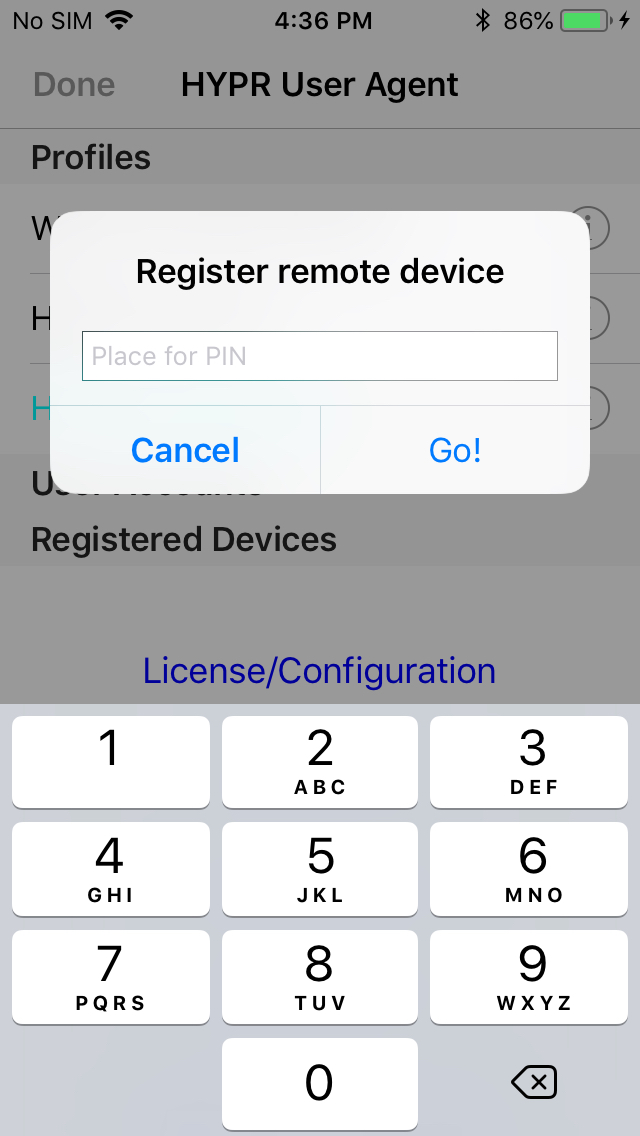
-
The out-of-band confirmation message (
OOBAuthenticationScreenConfirmationMessage):